MERIDIAN · product tour
From a folder of paper to answers the board can trust
Two made-up organizations, a church and a school and childcare center, each with the paperwork it really keeps. Choose one to see what MERIDIAN does with it, screen by screen.
Church · Grace Fellowship Church
Grace Fellowship Church is made up: every name and figure in this tour is invented. Its paperwork is the kind every church keeps: QuickBooks, bank statements, Paychex reports, tally sheets, receipts, loan statements and minutes.
Before
A typical week
The questions a church asks every week are simple. Answering them meant a bank balance that was days old, tally sheets in a folder, a budget report rebuilt in Excel the night before the meeting, and a loan payment nobody noticed was missed.
In MERIDIAN
Safe to spend is $38,971: the balance the cash plan keeps above zero at its lowest day ahead, November 27, after every check still to clear, every payroll and every bill. The building fund savings hold $76,595, given for the building, for the trustees to decide on. The board summary is saved each month, and the missed HVAC payment shows as past due in the debt plan.
Illustration · the trustees’ group text · Tuesday 7:42 PM
Made-up people and figures.
Setup
Built from files the church already has
Nobody types the books in again. The treasurer downloads what the church already uses and drops each file under Records; MERIDIAN reads it, says what it is, and files it in the right place.
- DownloadThe QuickBooks General Ledger and Account List, the bank statements from online banking, the Paychex reports.
- Drop them inMERIDIAN reads each file in the browser: the ledger line by line, statements balance by balance, Paychex runs to the penny. A photo of a tally sheet or a receipt is read the same way.
- ConfirmAnything uncertain is marked for a person to check. Nothing is recorded until someone confirms it.
The tour
Fourteen screens, one church
Every figure below agrees with every other: the giving on the dashboard is the sum of the Sunday counts, the checking account agrees to the bank statement after checks still to clear, and the debts are the lenders’ balances. Select a screen to see it full size.
Demo · made-up figures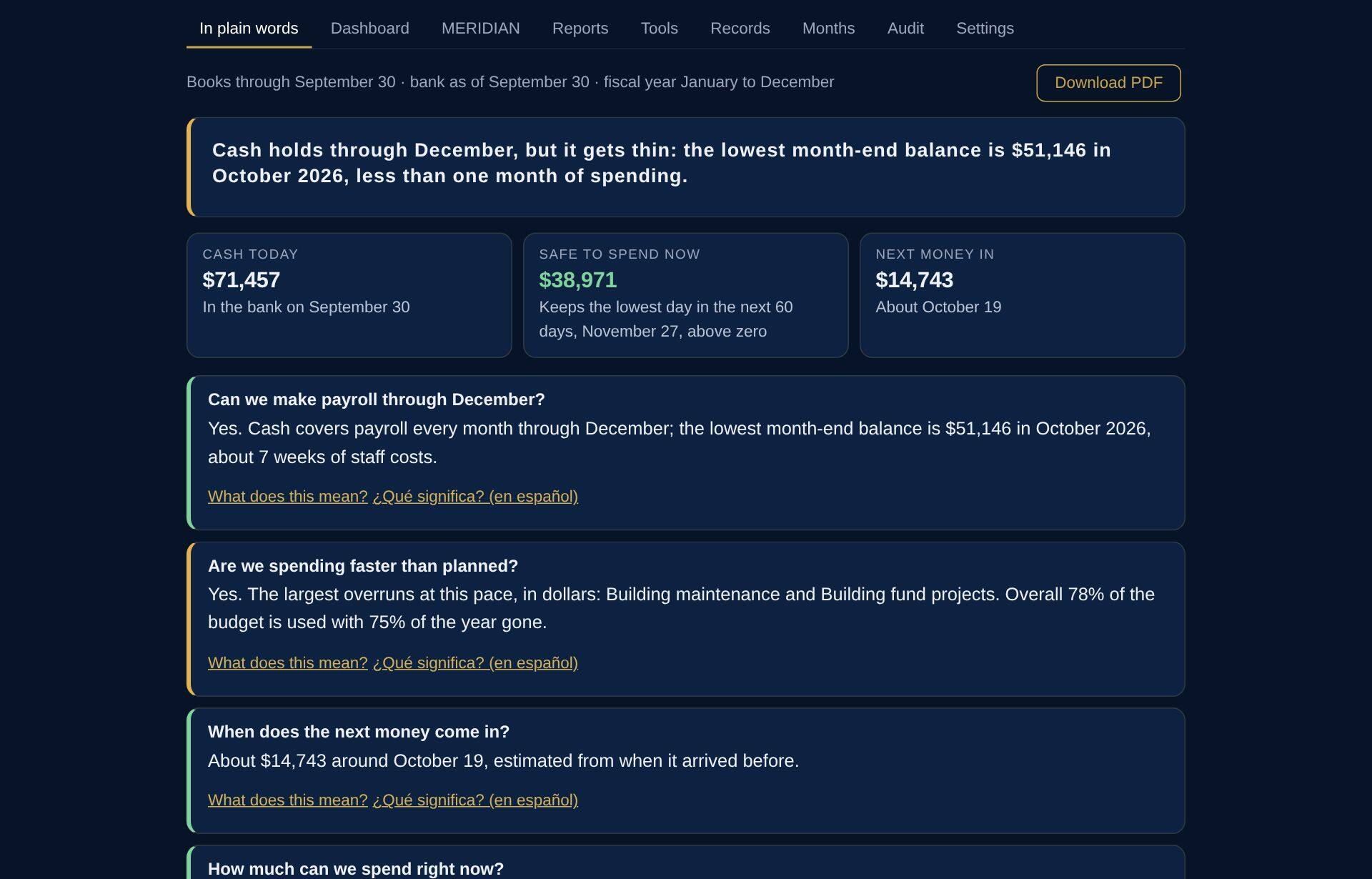
In plain words
What the pastor opens: where the church stands, in sentences, with the next steps a treasurer would name. No accounting terms.
Dashboard
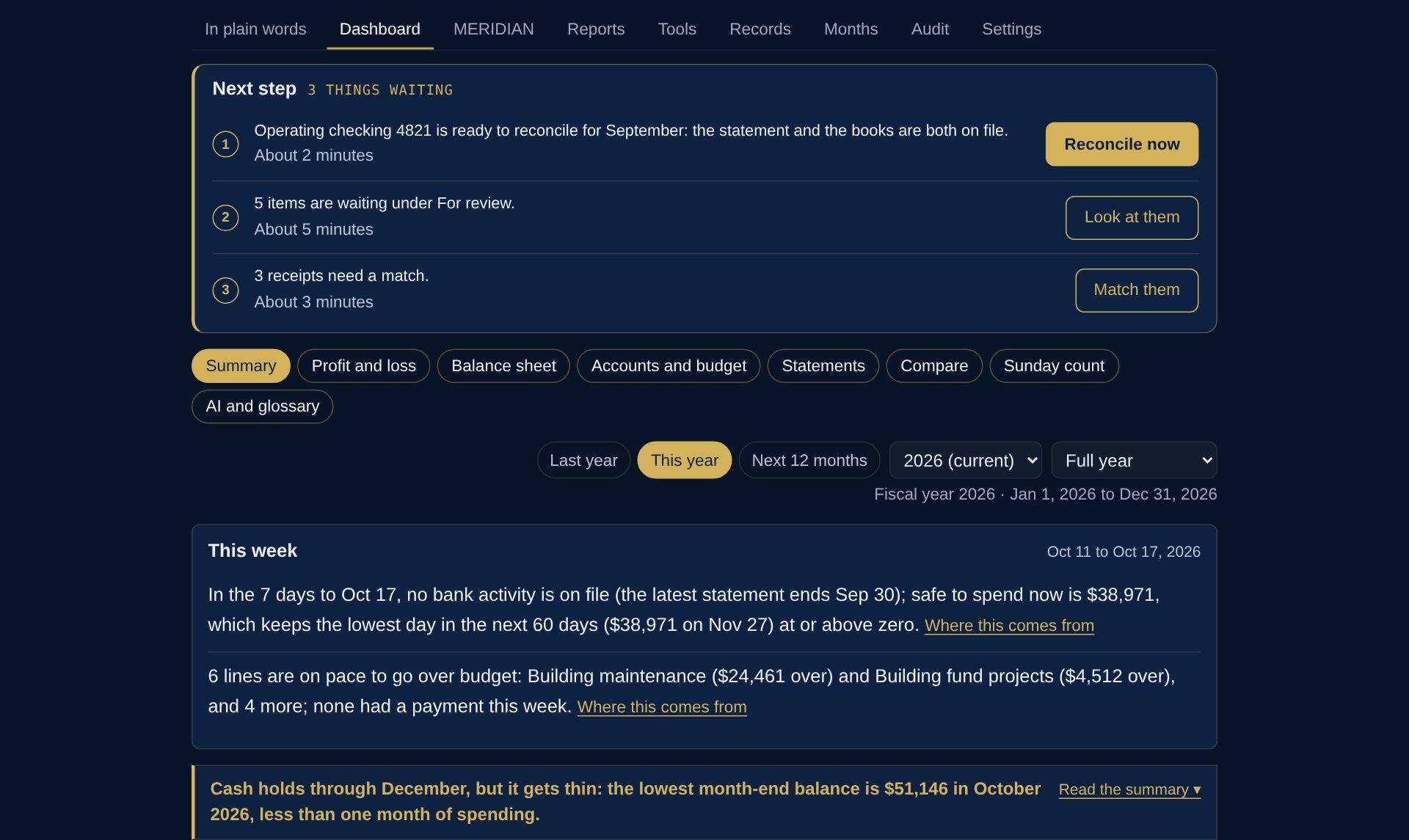
Cash in the bank, what is safe to spend before the next deposit, how much of the budget is used against the share of the year gone, and what needs attention.
Where every figure came from
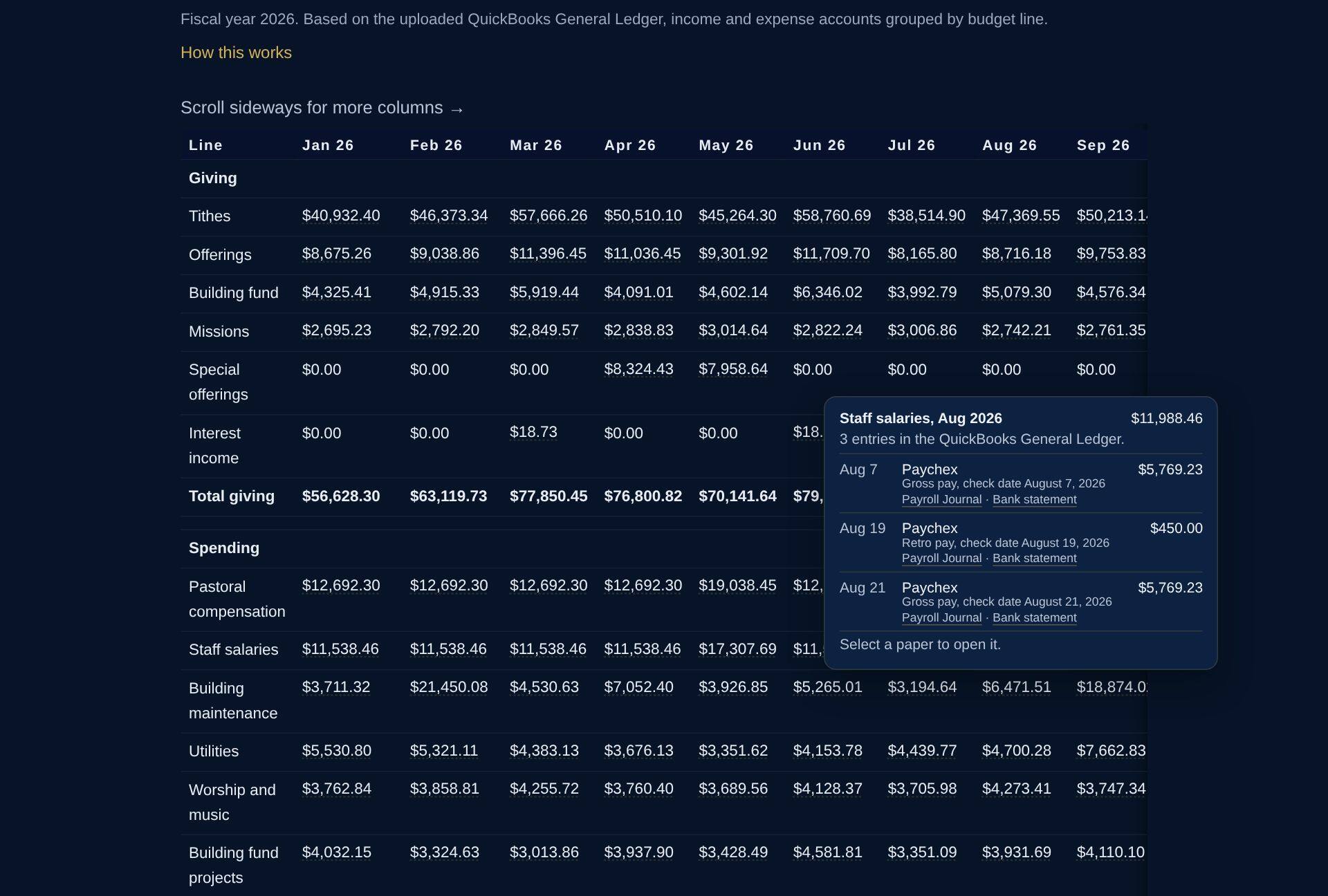
Tap any figure in the profit and loss and the entries behind it open, each beside the paper it came from. Here, August staff salaries: three Paychex runs, each with its payroll journal and the bank statement it cleared on. A giving figure opens to its Sunday tally sheets; a bill, to its receipt or invoice.
Last year, this year, the next 12 months
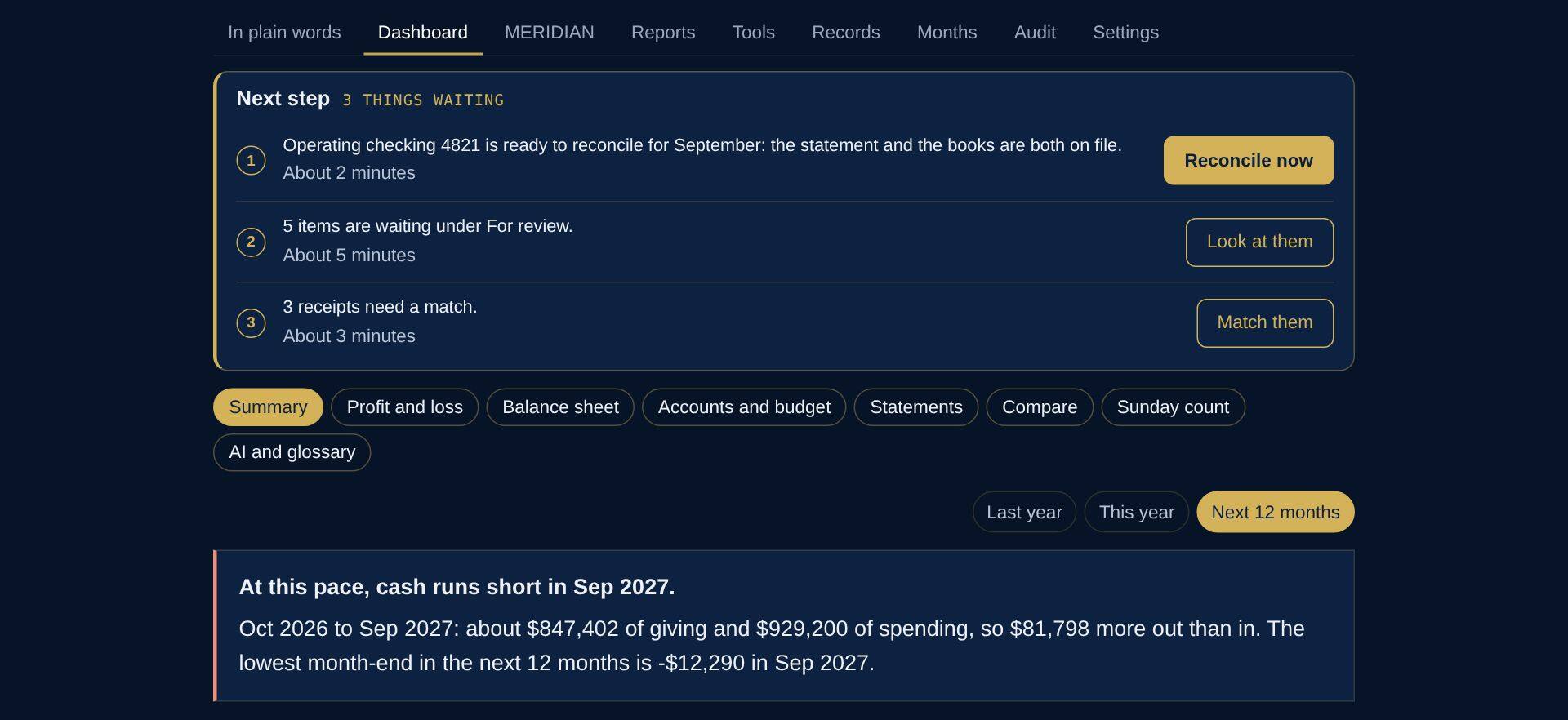
One tap moves between last year, this year and the year ahead: giving in last year’s pattern, spending at this year’s pace, and cash at the end of every month.
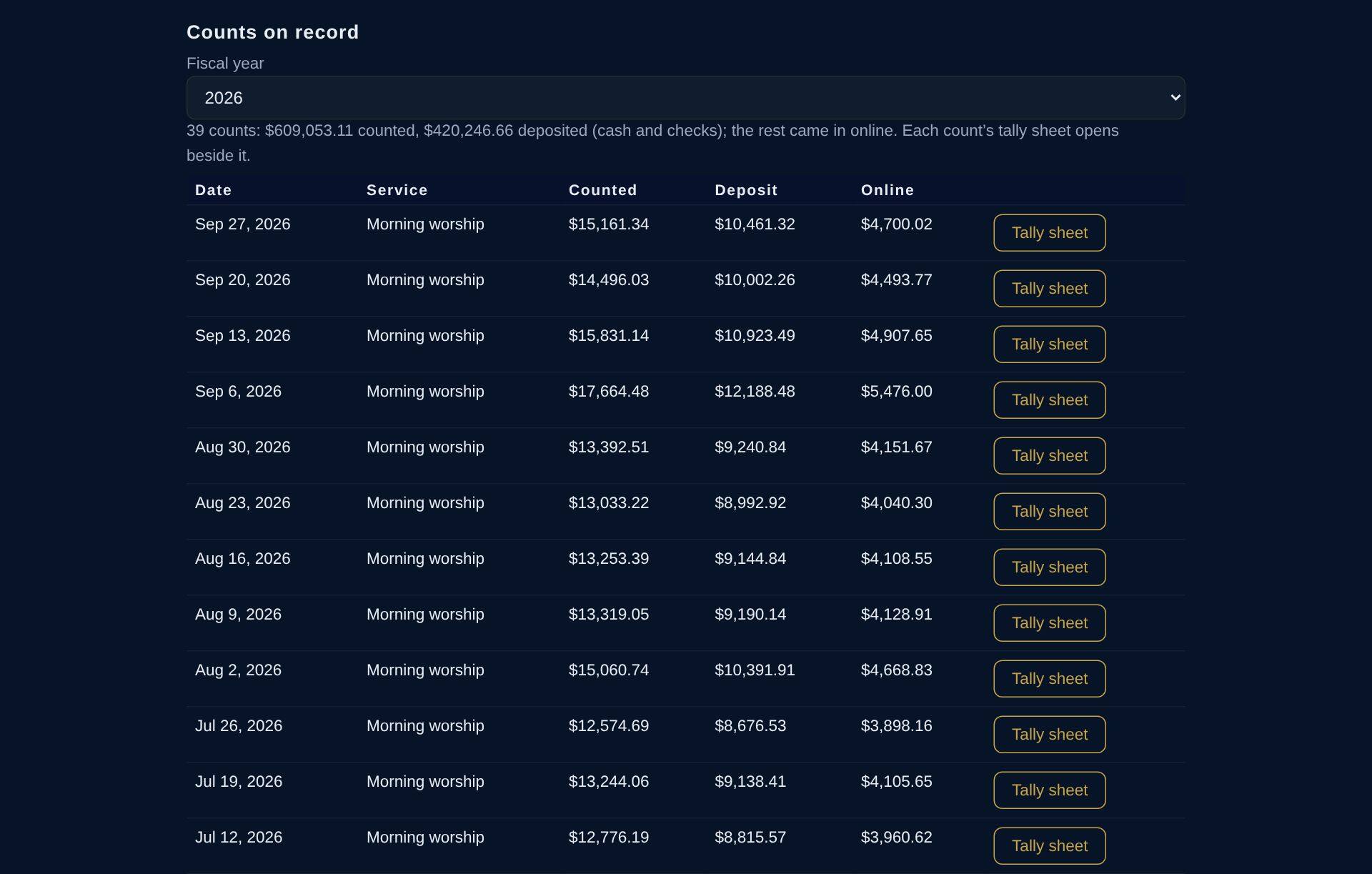
Sunday counts and tally sheets
Every count on record for the year, newest first, each with its tally sheet and the year’s total counted. The same total is the giving on the dashboard.
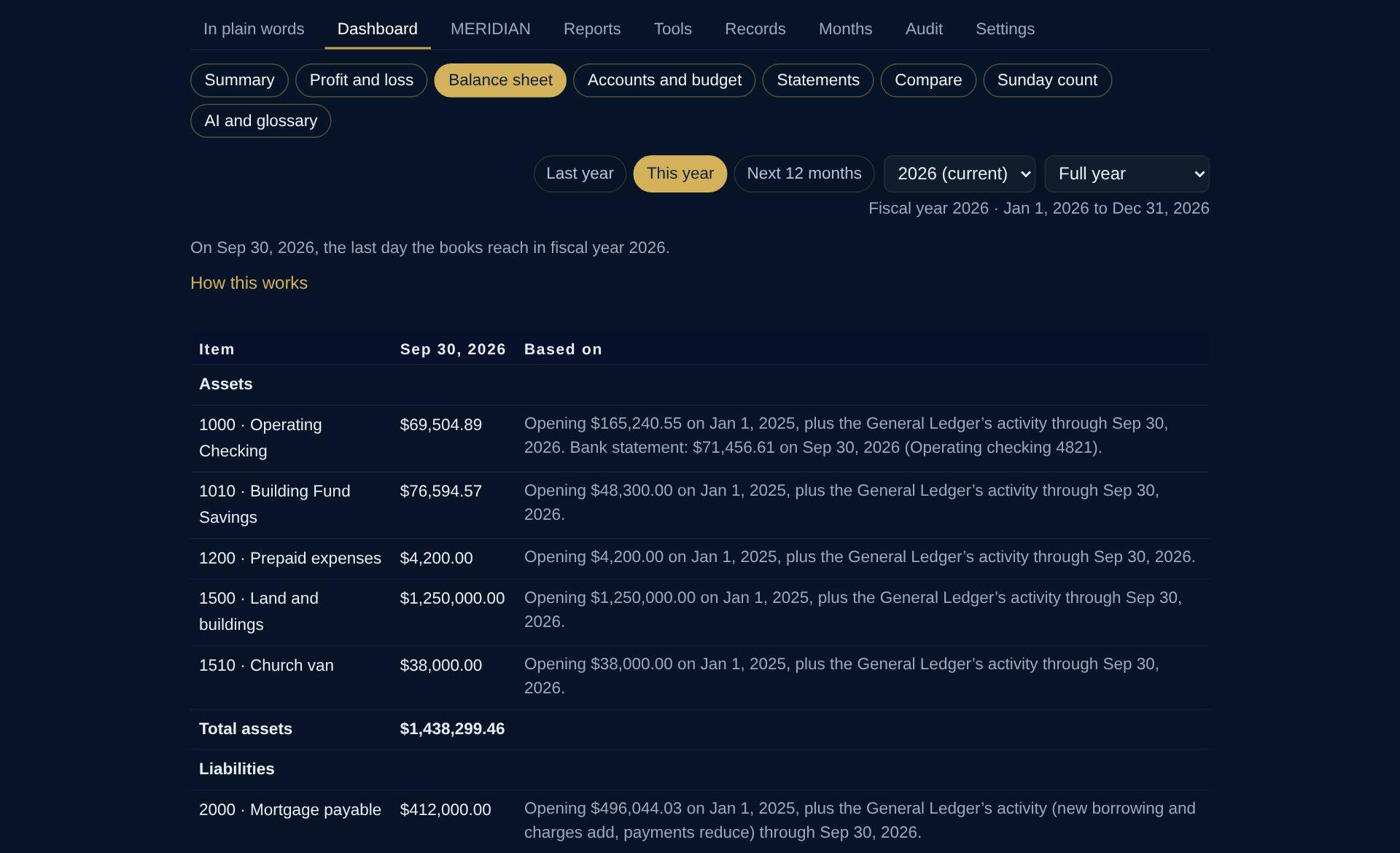
Balance sheet
What the church owns and owes on the last day the books reach. The checking balance is shown beside its bank statement, and each debt is the balance on its lender’s statement.
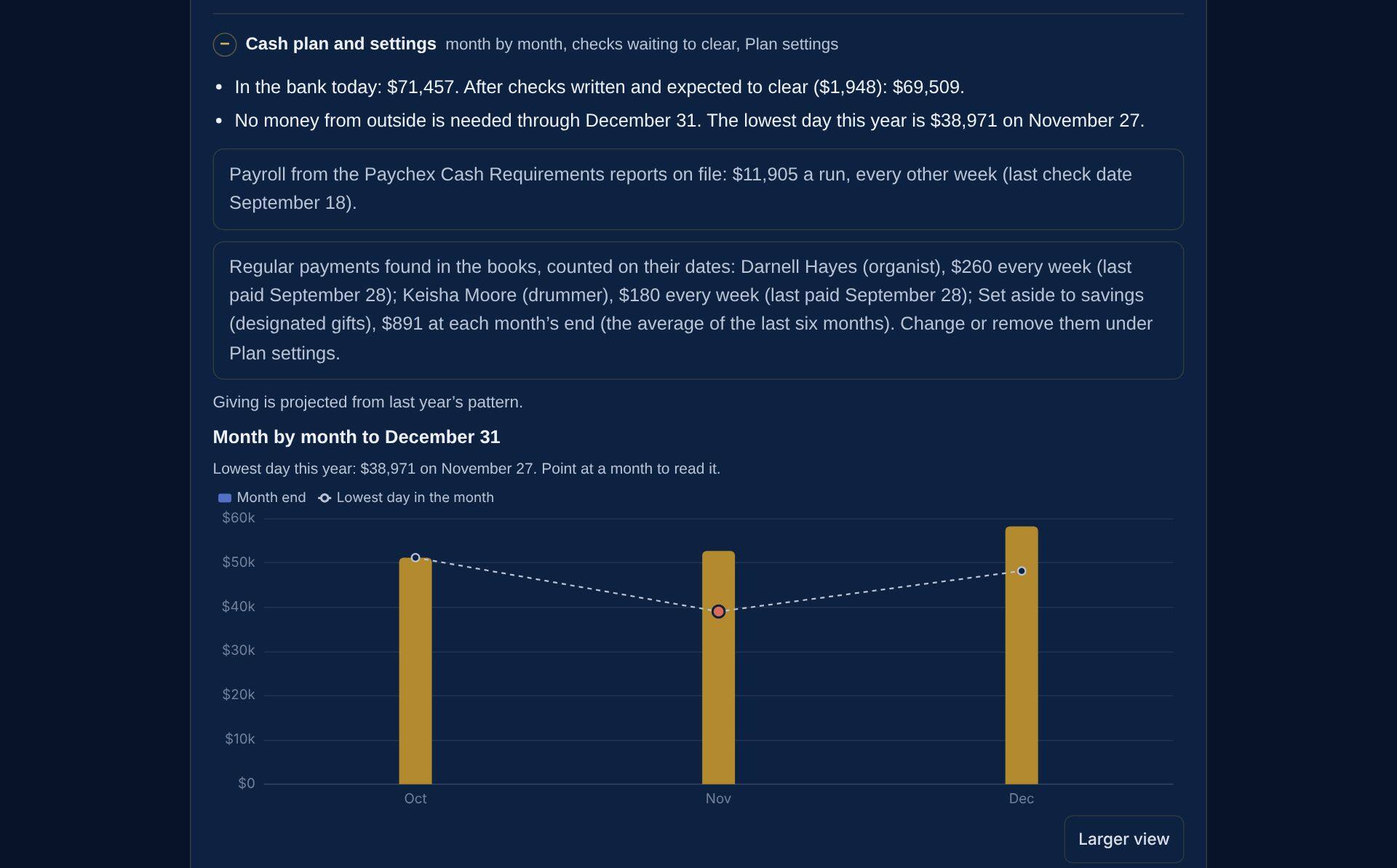
Will cash hold?
Will cash hold? The cash plan starts from the bank, takes out checks still to clear, adds giving in last year’s pattern and the Paychex payroll on its own dates, and finds the lowest day ahead. Safe to spend is set so the balance stays above zero on that day.
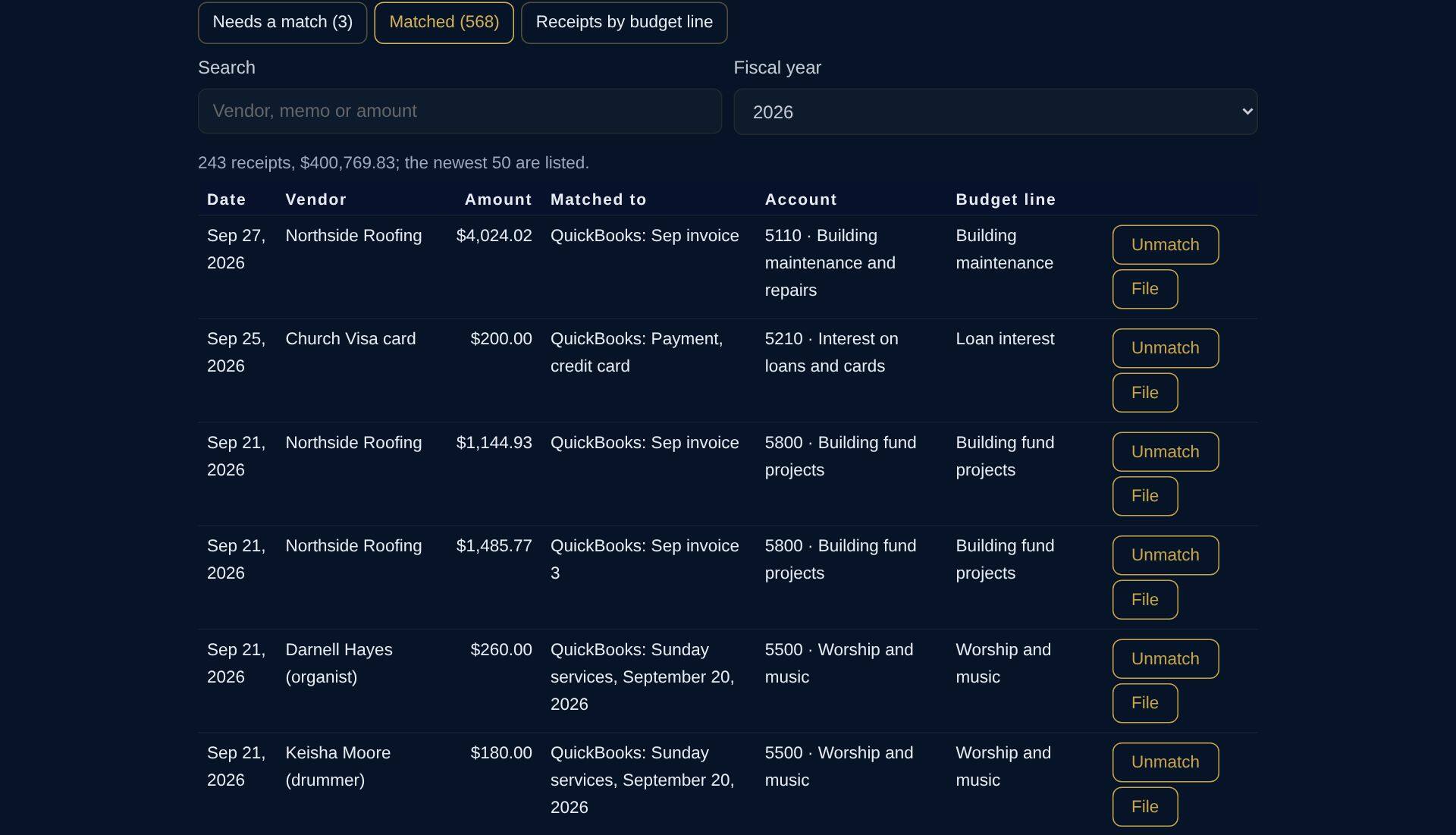
Receipts matched to payments
Every payment out of the bank has its receipt, its invoice or the lender’s payment confirmation, matched to its entry in the books. The few still waiting are set apart to match.
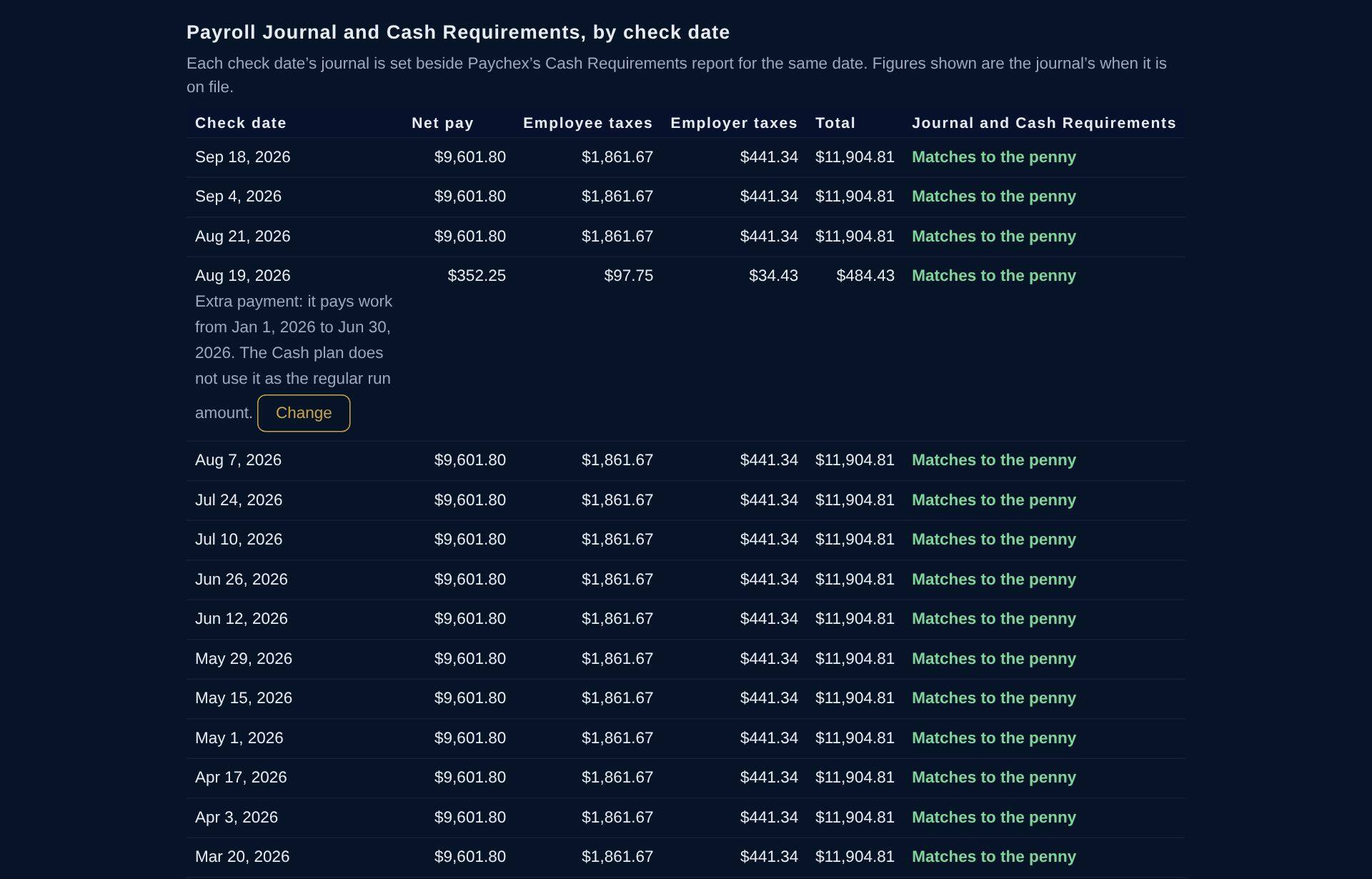
Payroll, tied to the penny
Each Paychex run checked against its Cash Requirements report: net pay, taxes withheld and the employer’s share. An extra back-pay run is recognized and asked about, not mistaken for regular payroll.
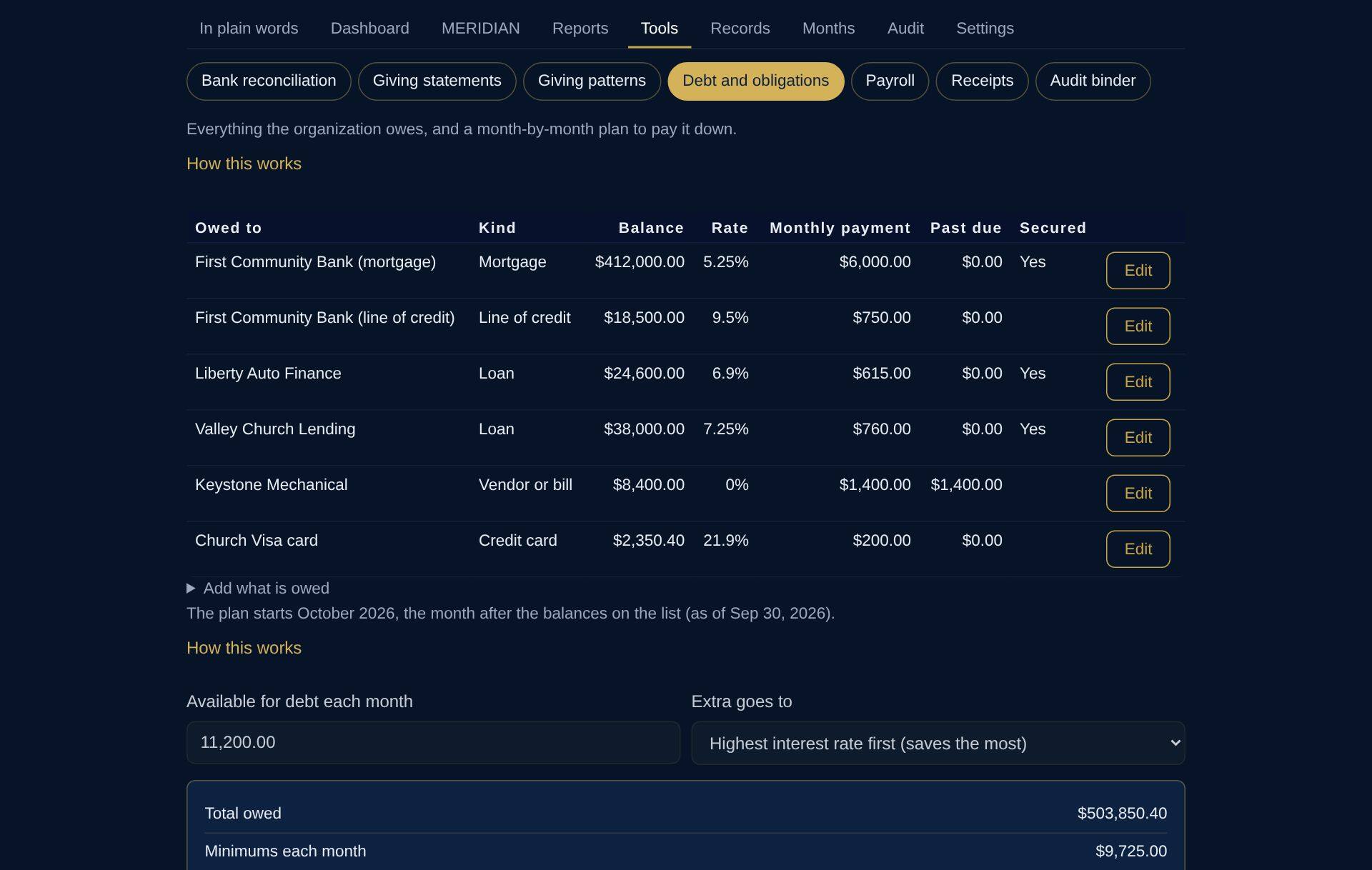
Six debts, one plan
The mortgage, the line of credit, the van and roof loans, the HVAC payment plan and the card: minimums, what is past due, when each is paid off and the interest saved against paying only the minimums.
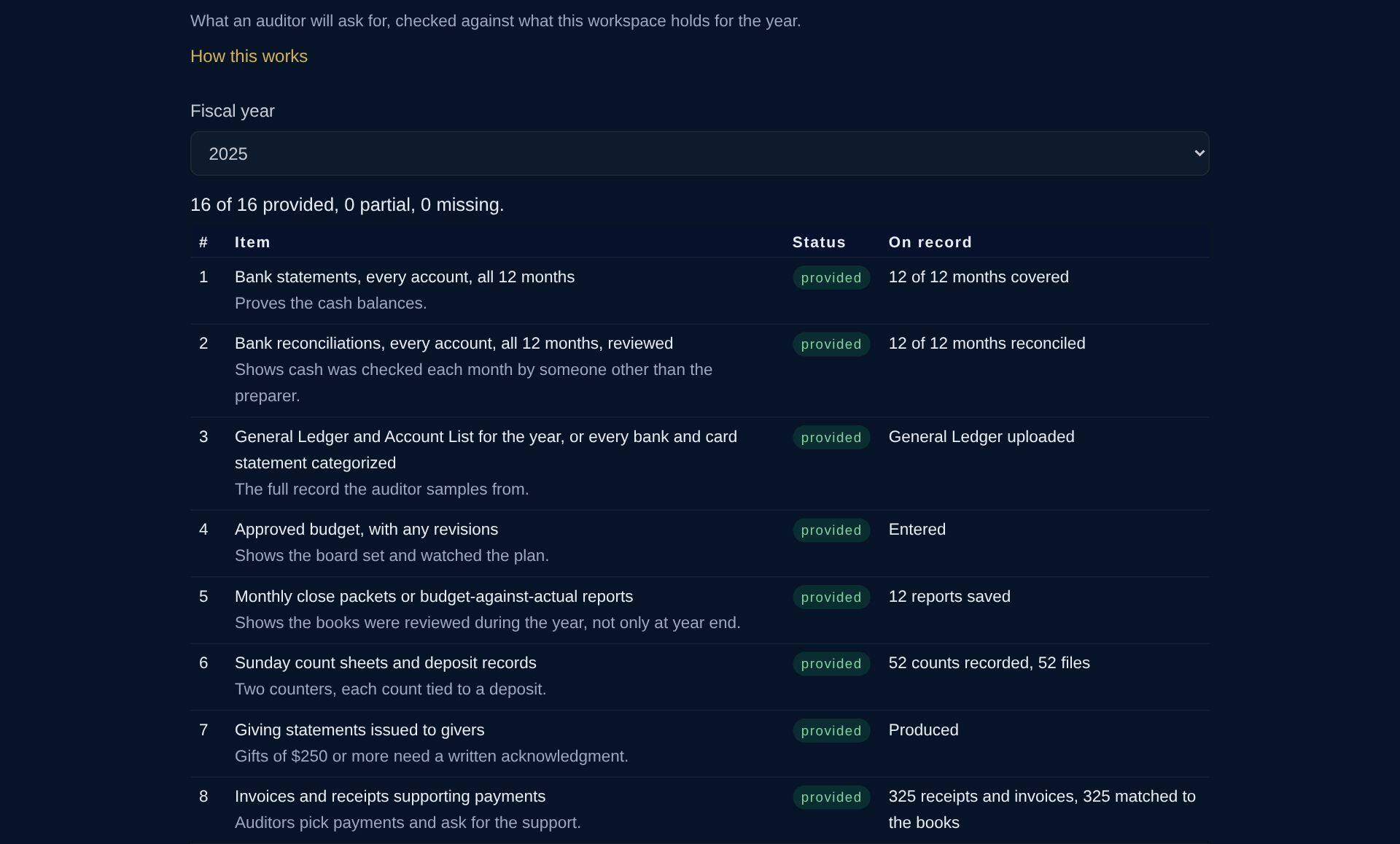
Audit binder
The sixteen items an auditor asks a church for, checked against what is on file for the year: statements, reconciliations, Sunday counts, receipts, payroll filings, minutes and loan papers.
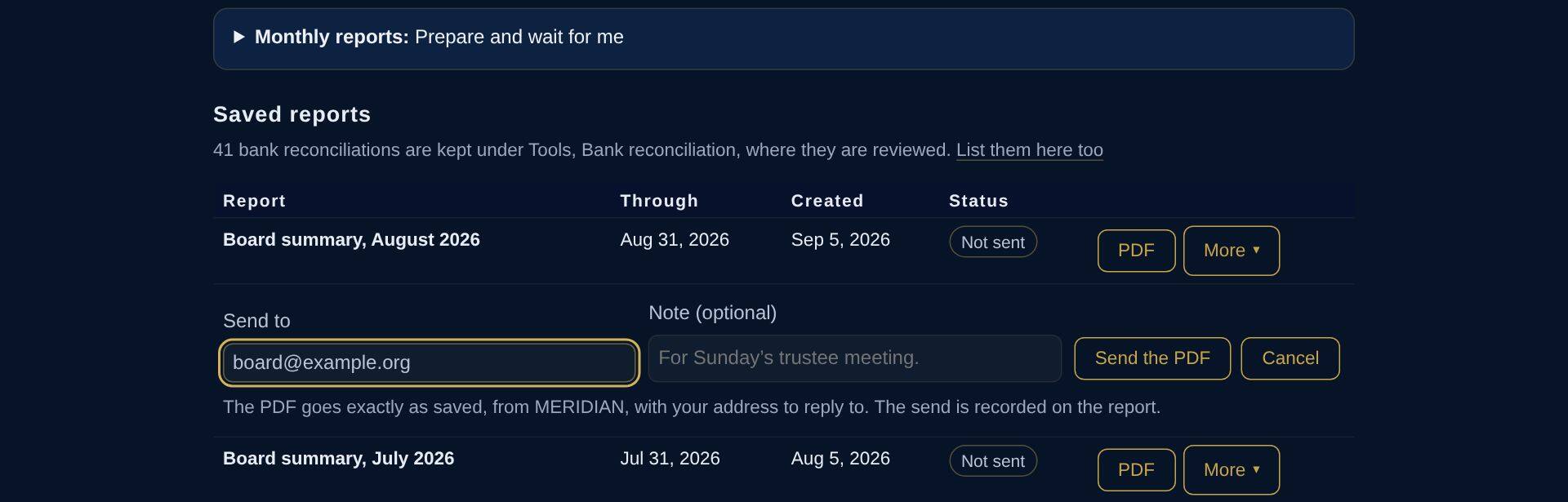
Reports the board can trust
Each month’s board summary is saved with a fingerprint that shows it has not changed since. Email it from MERIDIAN to anyone; the send is recorded on the report.

Records
Everything on file, by area and fiscal year: statements, giving, payroll, governance, liabilities, receipts and invoices.
Internal review
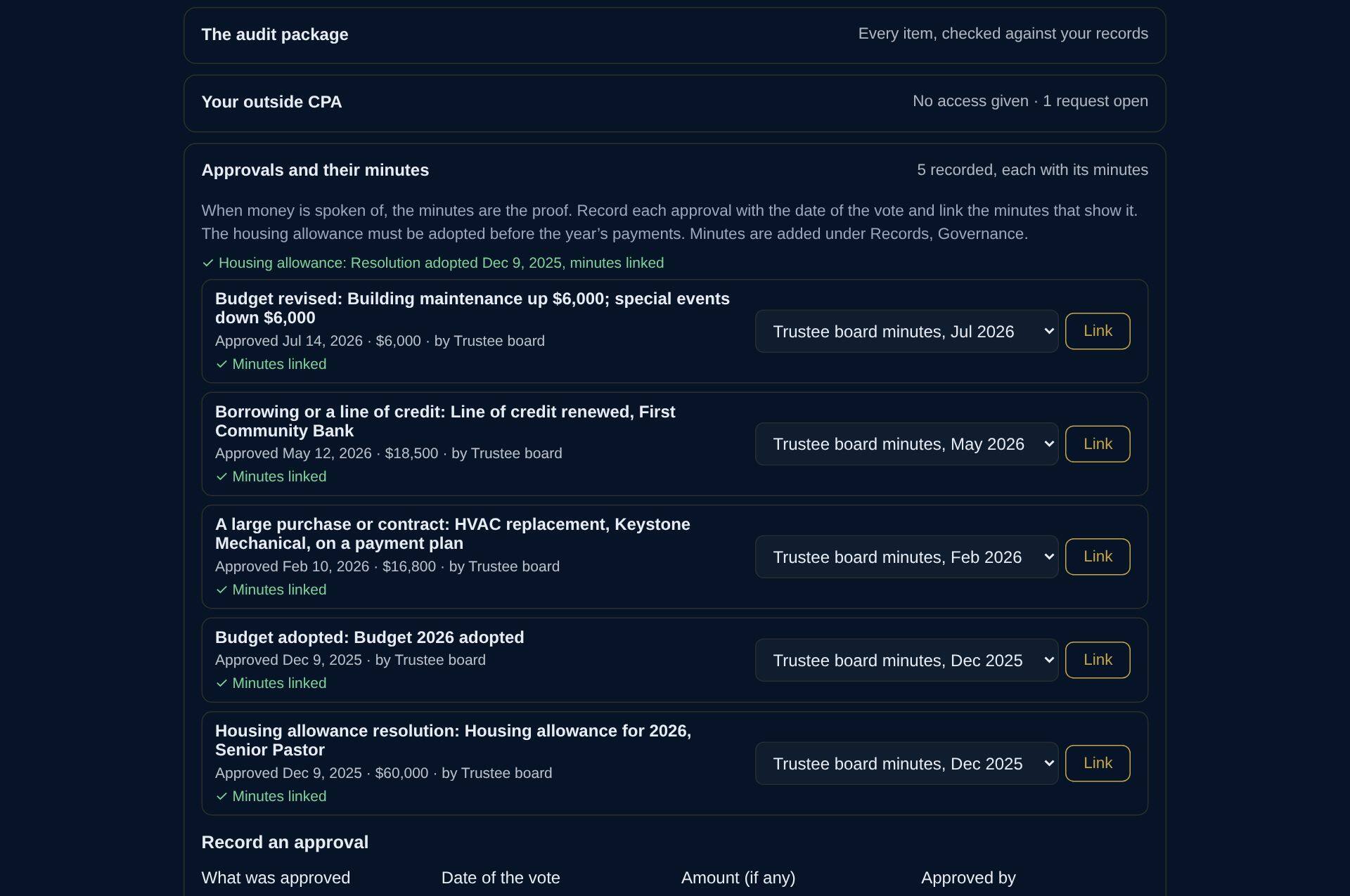
The monthly checklist the finance committee works through, with approvals linked to the minutes that made them.
Sample reports
Open the papers yourself
The same made-up church. Each file says DEMONSTRATION on every page.
School or childcare · Riverside Learning Center
Riverside Learning Center is made up: every name and figure in this tour is invented. Its paperwork is the kind every state-contracted school or childcare center keeps: QuickBooks, bank statements, Paychex reports, the district contract and its payments, receipts, the line of credit and board minutes.
Before
A typical week
The district pays a month after the month it pays for, while payroll goes out every other Friday. Answering the board meant a bank balance that was days old, the district’s quarterly report rebuilt in a spreadsheet, and the line of credit watched by hand.
In MERIDIAN
Safe to spend is $71,952: the balance the cash plan keeps above zero at its lowest day ahead, November 27. Between paying a month’s costs and receiving the district’s payment for it, cash falls as much as $64,118 below its high, the stretch the line of credit carries. The lowest month-end balance is $68,798, in June 2027. The first quarter’s district package is saved, with administration at 29.7% of spending.
Illustration · the board’s group text · Monday 8:15 PM
Made-up people and figures.
Setup
Built from files the center already has
Nobody types the books in again. The controller downloads what the center already uses and drops each file under Records; MERIDIAN reads it, says what it is, and files it in the right place.
- DownloadThe QuickBooks General Ledger and Account List, the bank statements from online banking, the Paychex reports.
- Drop them inMERIDIAN reads each file in the browser: the ledger line by line, statements balance by balance, Paychex runs to the penny. A photo of a receipt is read the same way.
- Match onceEach account is matched to its budget line and funding stream, and each expense to Education or Administration, the way the district reads the budget.
The tour
Fourteen screens, one school
Every figure below agrees with every other: the district package is the books by approved line, the checking account agrees to the bank statement after checks still to clear, and payroll ties to its Cash Requirements reports to the penny. Select a screen to see it full size.
Demo · made-up figures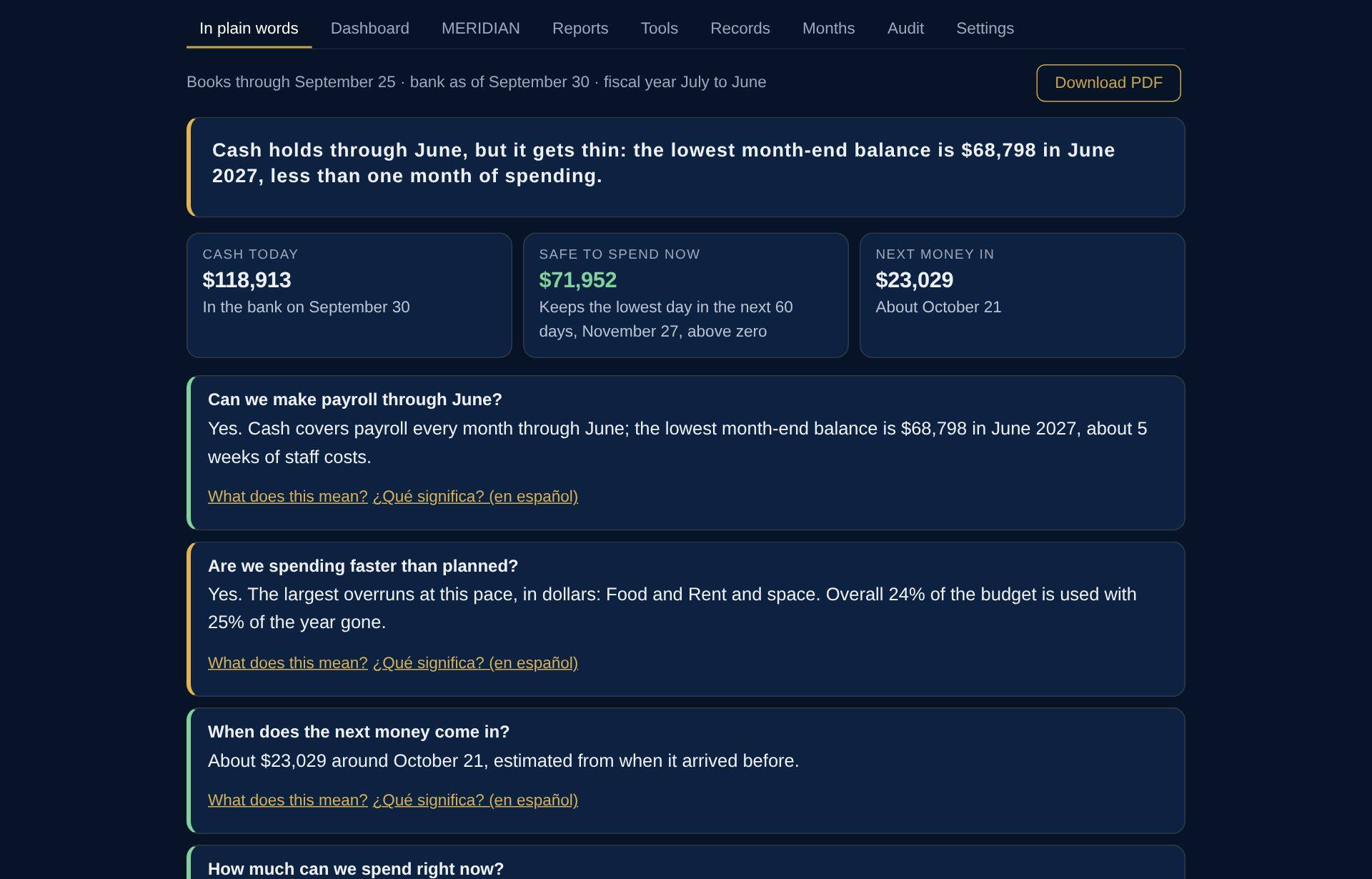
In plain words
What the director and the board open: where the center stands, in sentences, with questions to ask about the figures. No accounting terms.
Dashboard
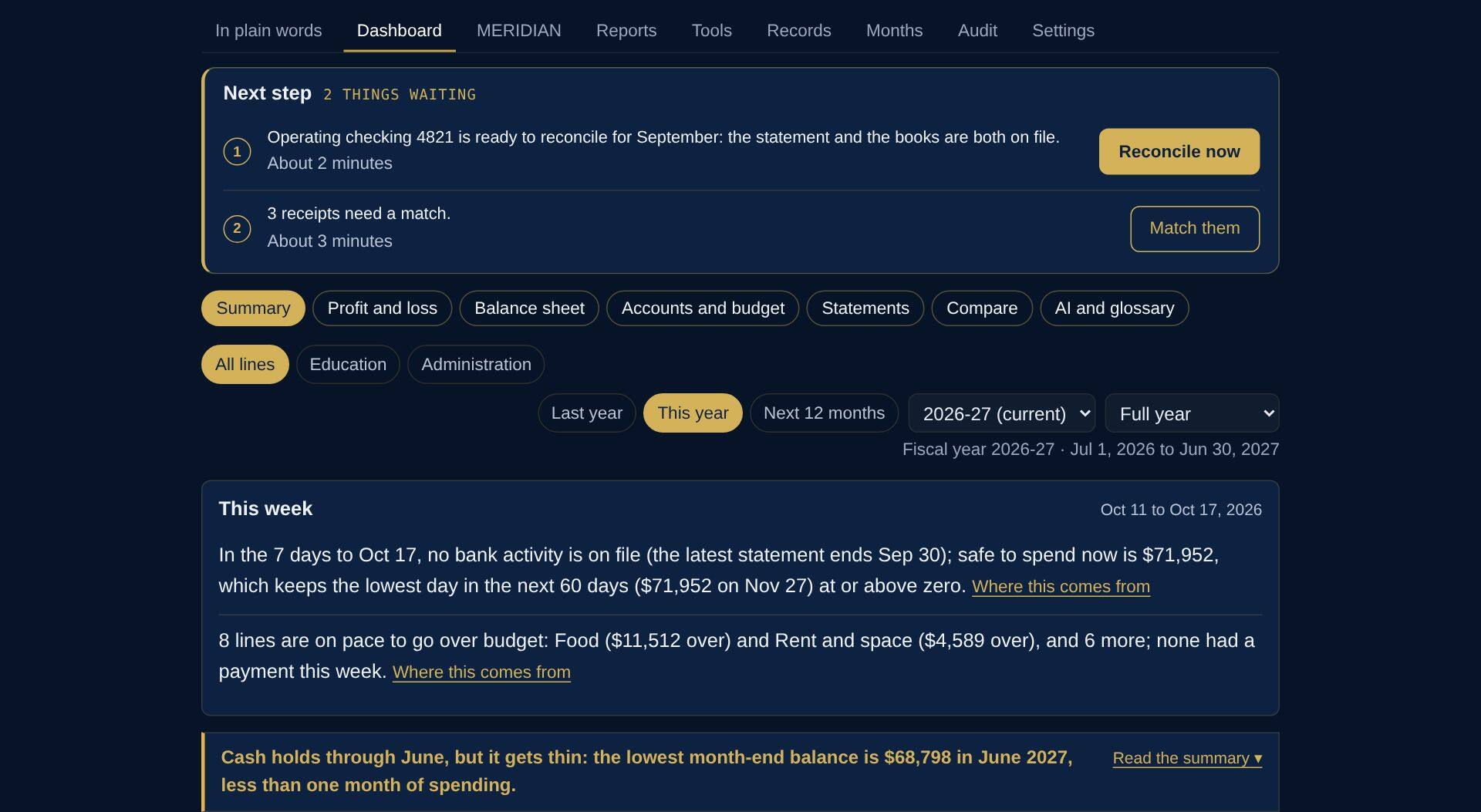
Cash in the bank, what is safe to spend before the low point ahead, how much of the budget is used against the share of the year gone, and what needs attention.
Where every figure came from
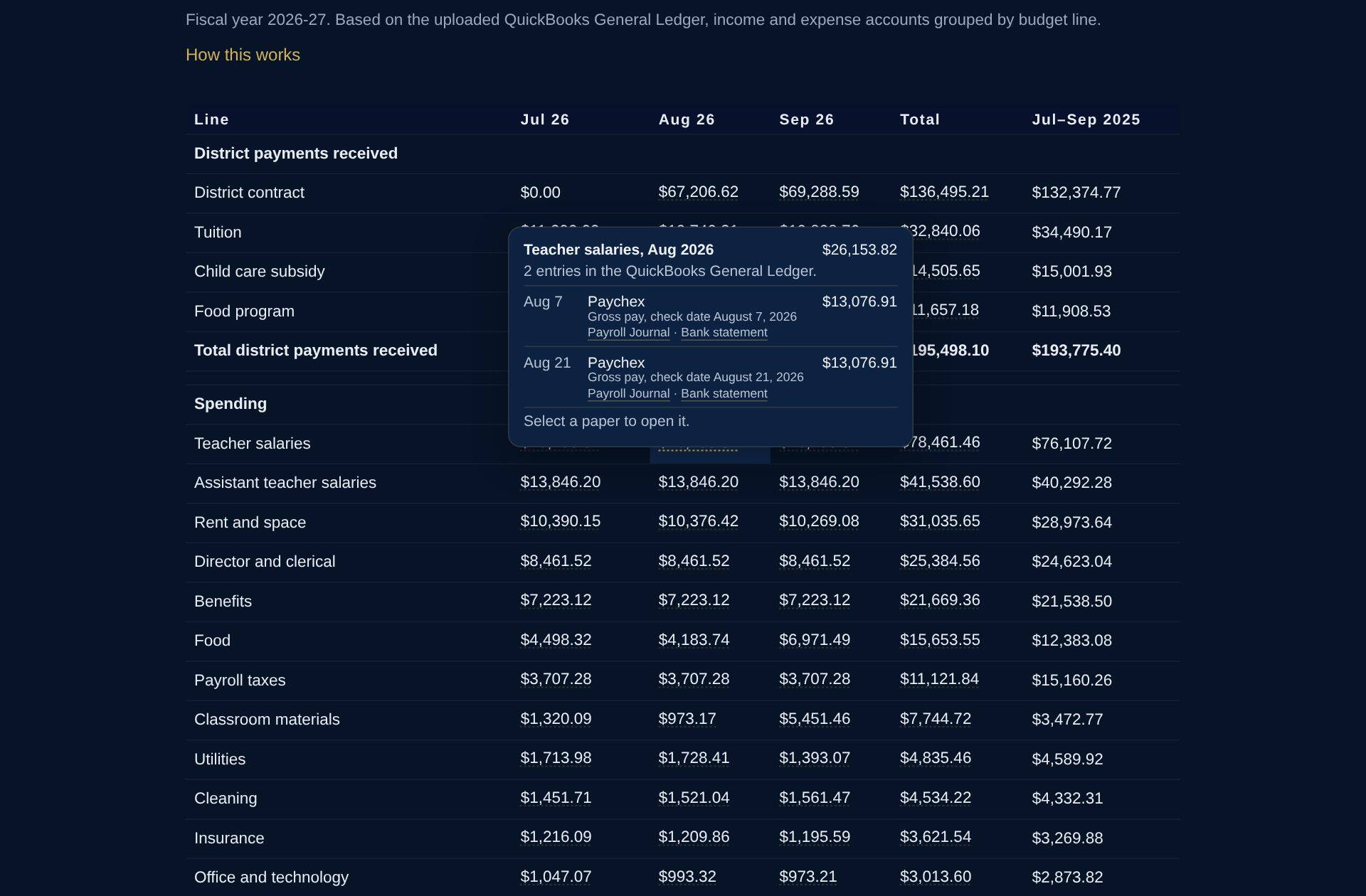
Tap any figure in the profit and loss and the entries behind it open, each beside the paper it came from. Here, August teacher salaries: two Paychex runs, each with its payroll journal and the bank statement it cleared on. A bill opens to its receipt or invoice.
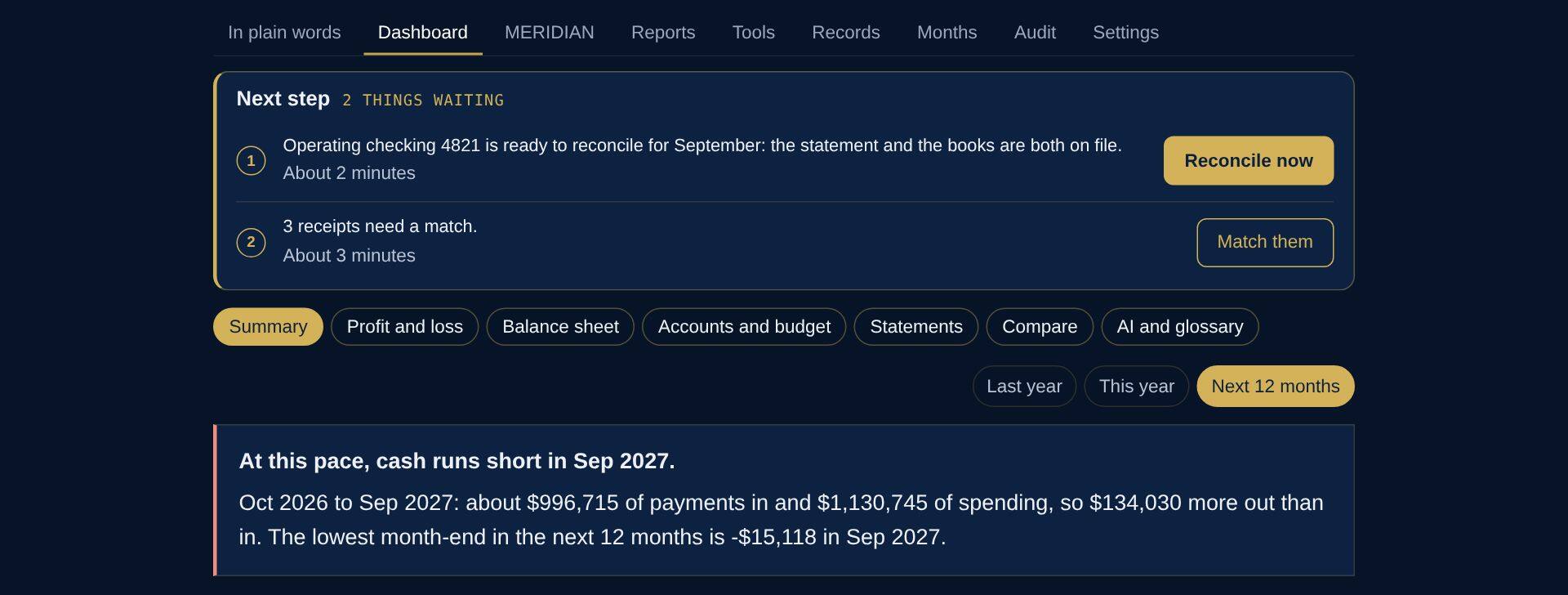
Last year, this year, the next 12 months
One tap moves between last year, this year and the year ahead: payments in last year’s pattern, spending at this year’s pace, and cash at the end of every month.
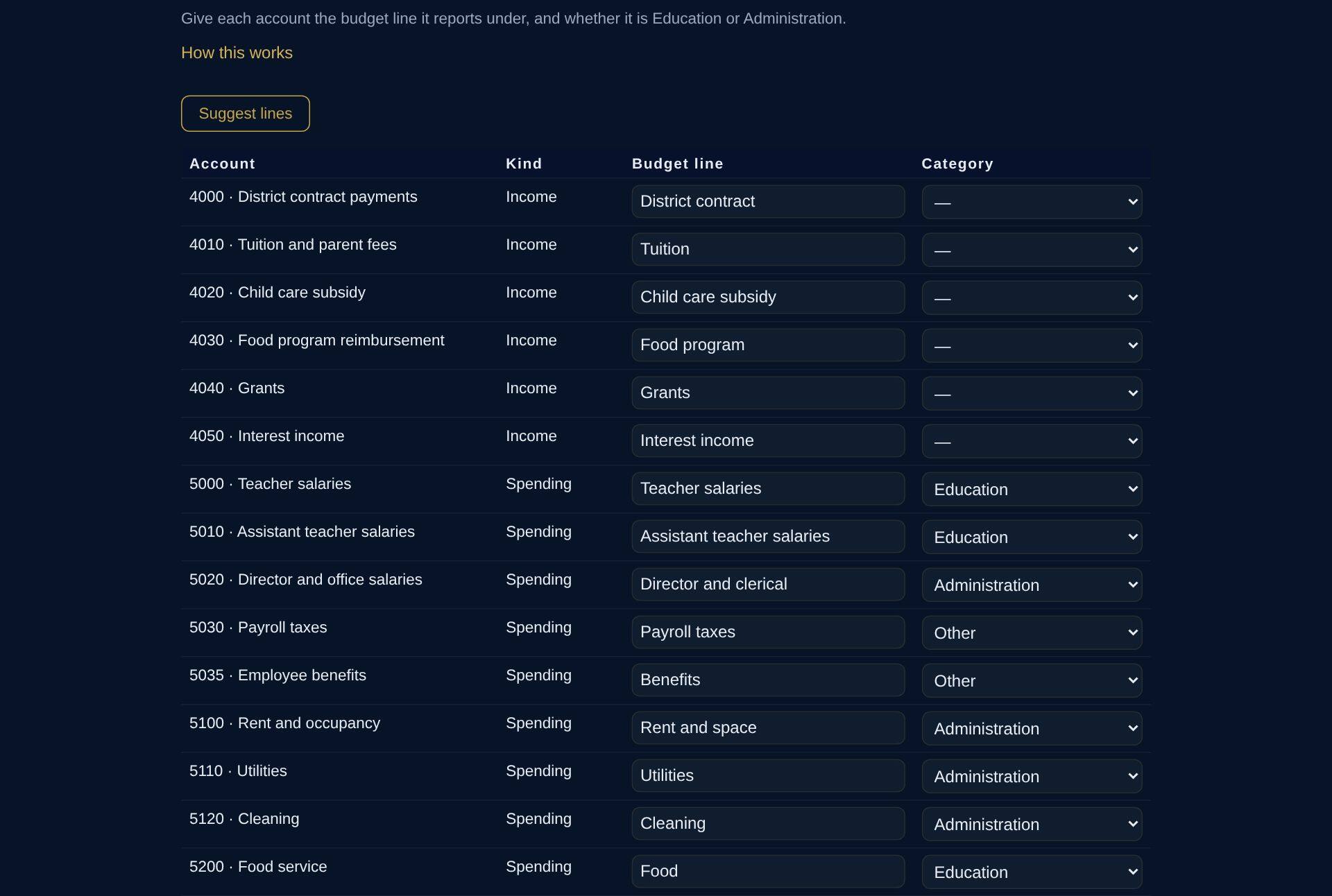
Funding streams
Each income account in QuickBooks is matched to the funding stream it reports under: the district contract, tuition, the child care subsidy, the food program and grants. Each expense account carries its Education or Administration category.
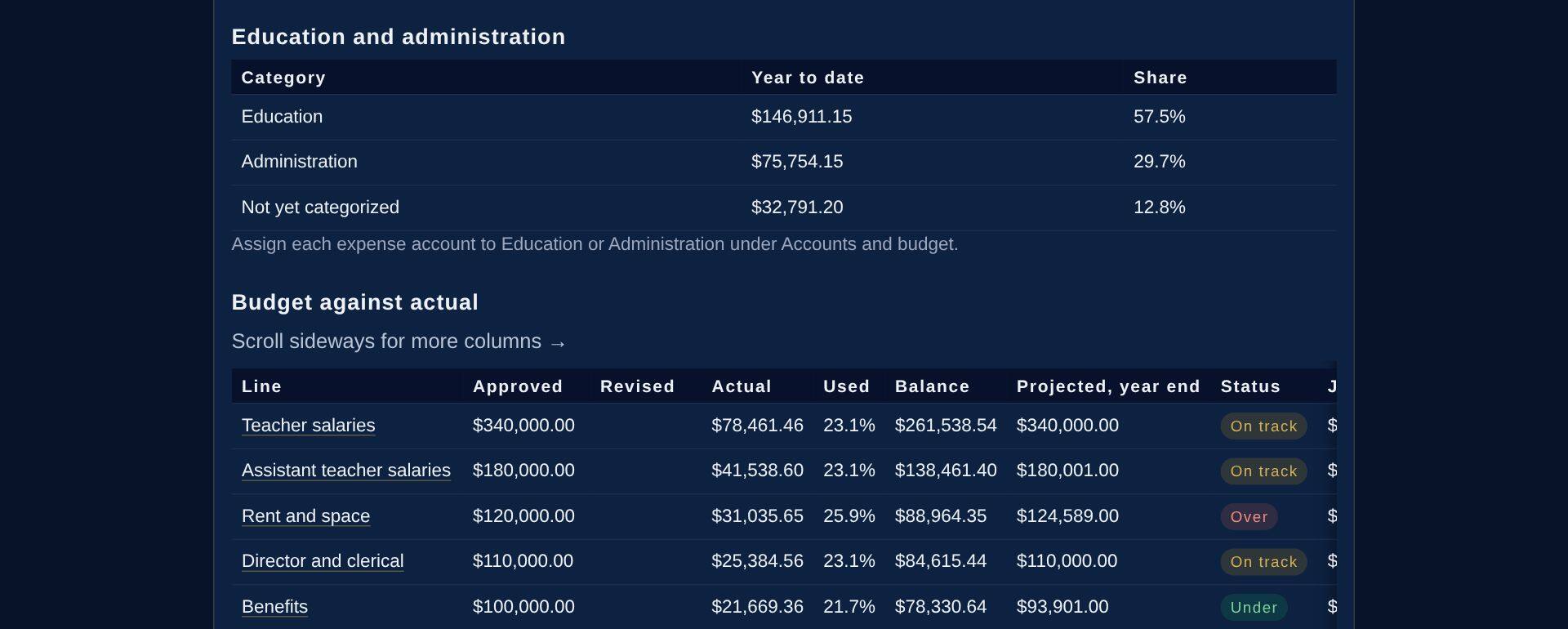
Education and administration
Spending this year split the way the district reads it, Education, Administration and anything not yet categorized, above budget against actual, line by line.
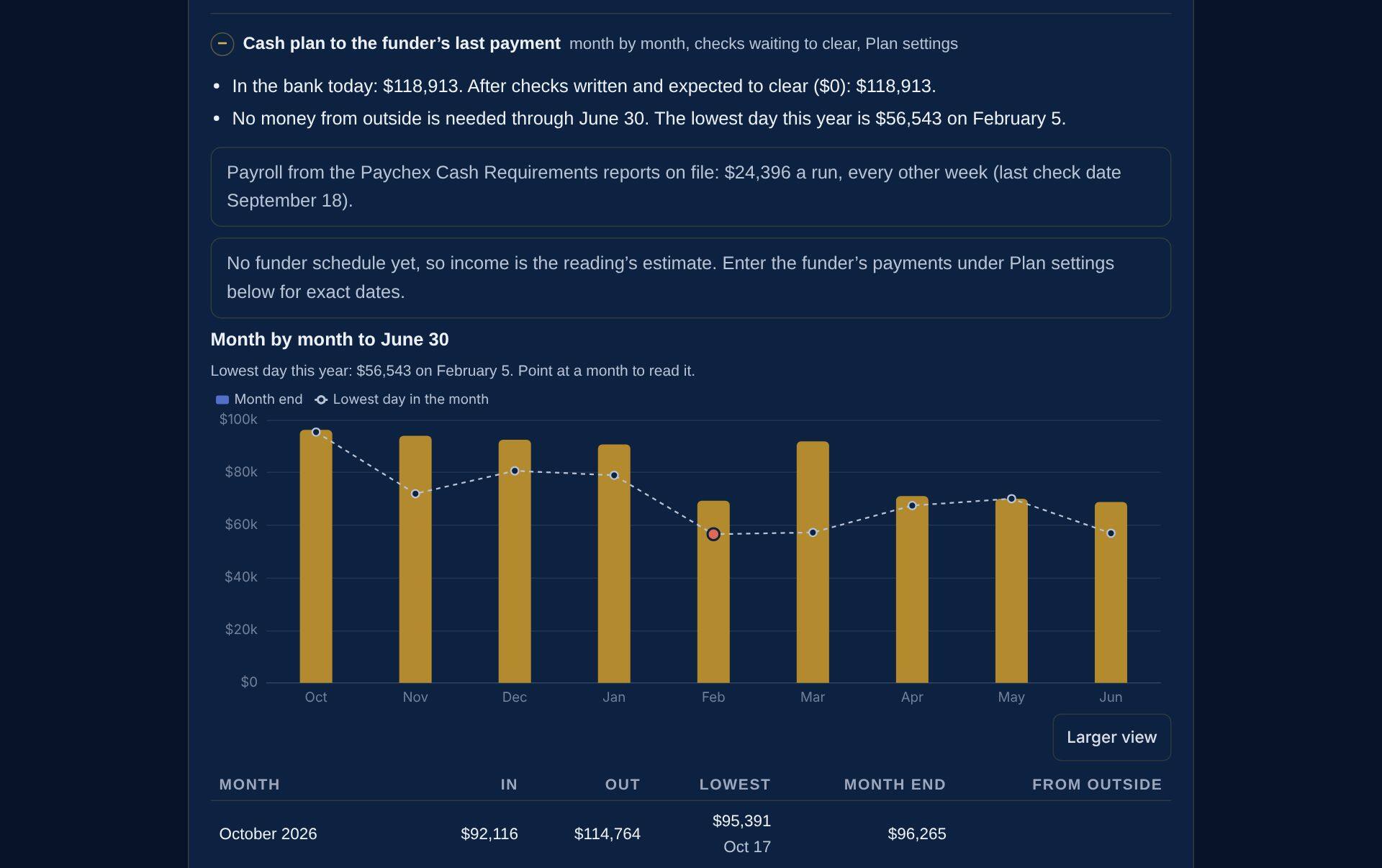
Will cash hold?
The cash plan starts from the bank, takes out checks still to clear, adds the district’s payments a month after the month they pay for and the Paychex payroll on its own dates, and finds the lowest day ahead. Safe to spend keeps the balance above zero on that day.
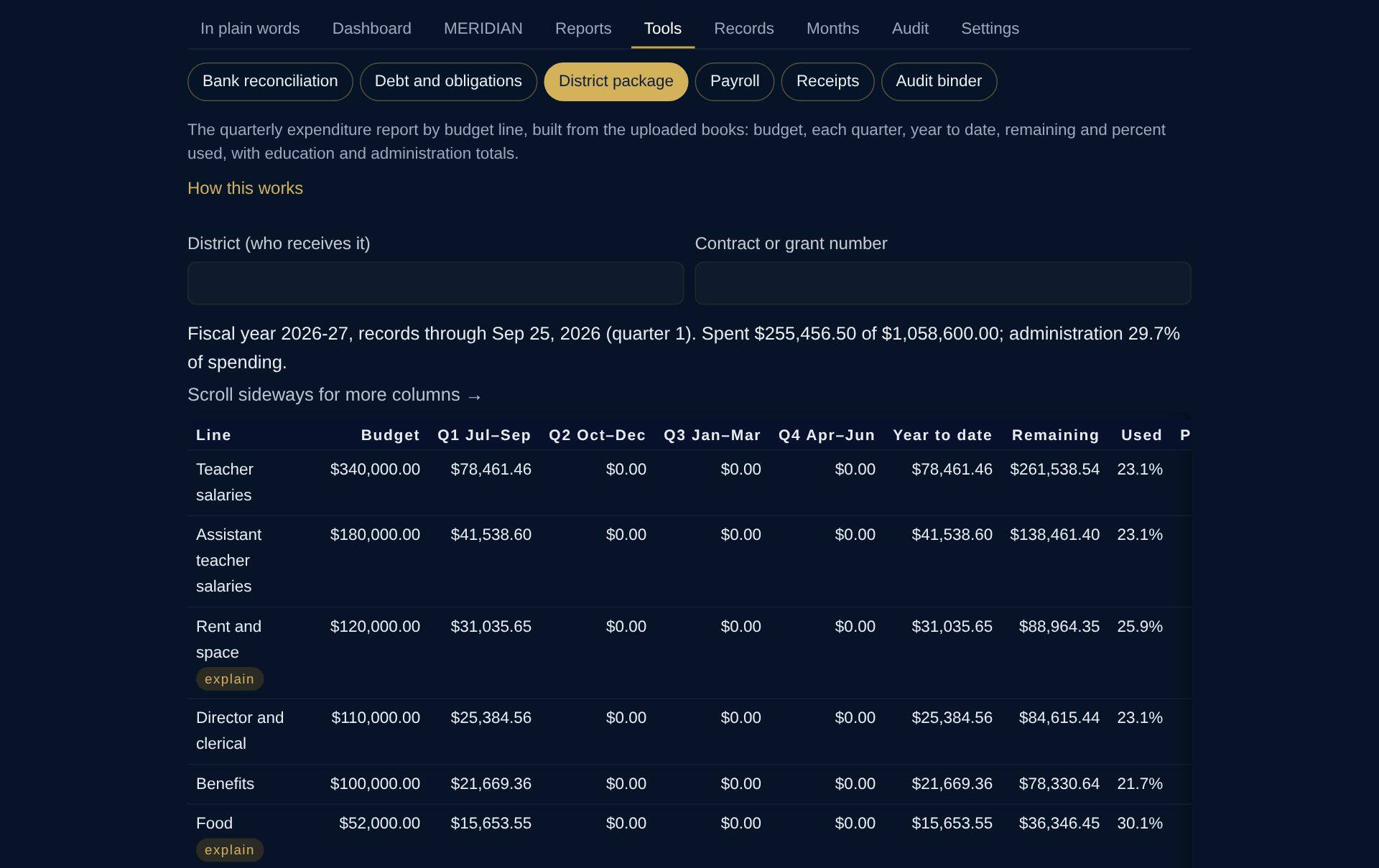
District package
The quarterly expenditure report the district asks for, built from the books: budget, each quarter, year to date, remaining and percent used by approved line, with the Education and Administration totals. A line on pace to go over budget carries a short explanation.
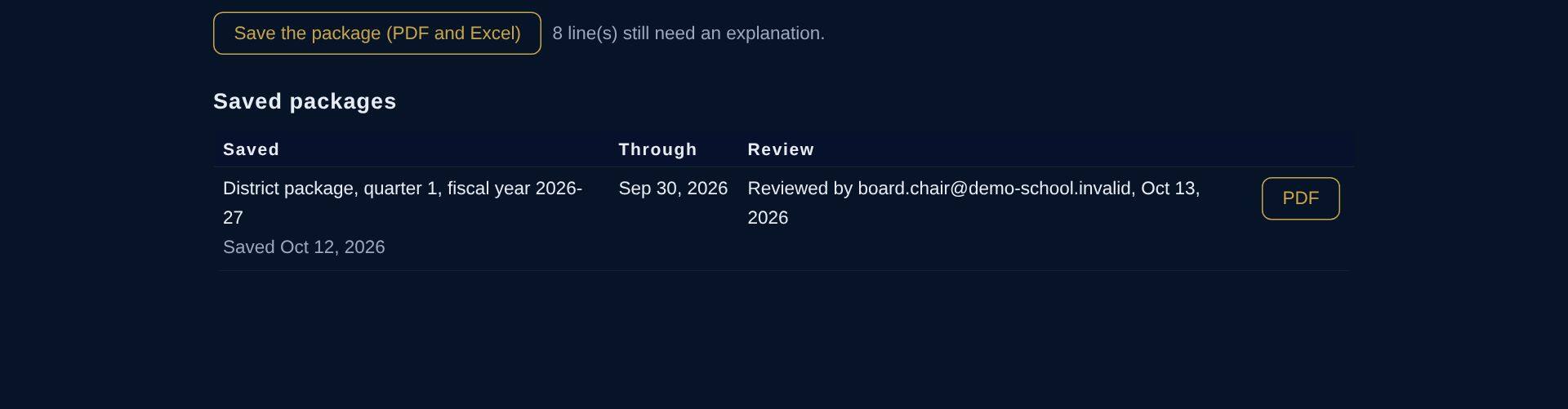
Saved and reviewed
The first quarter’s package is saved with its PDF and a fingerprint, and reviewed by a board member.
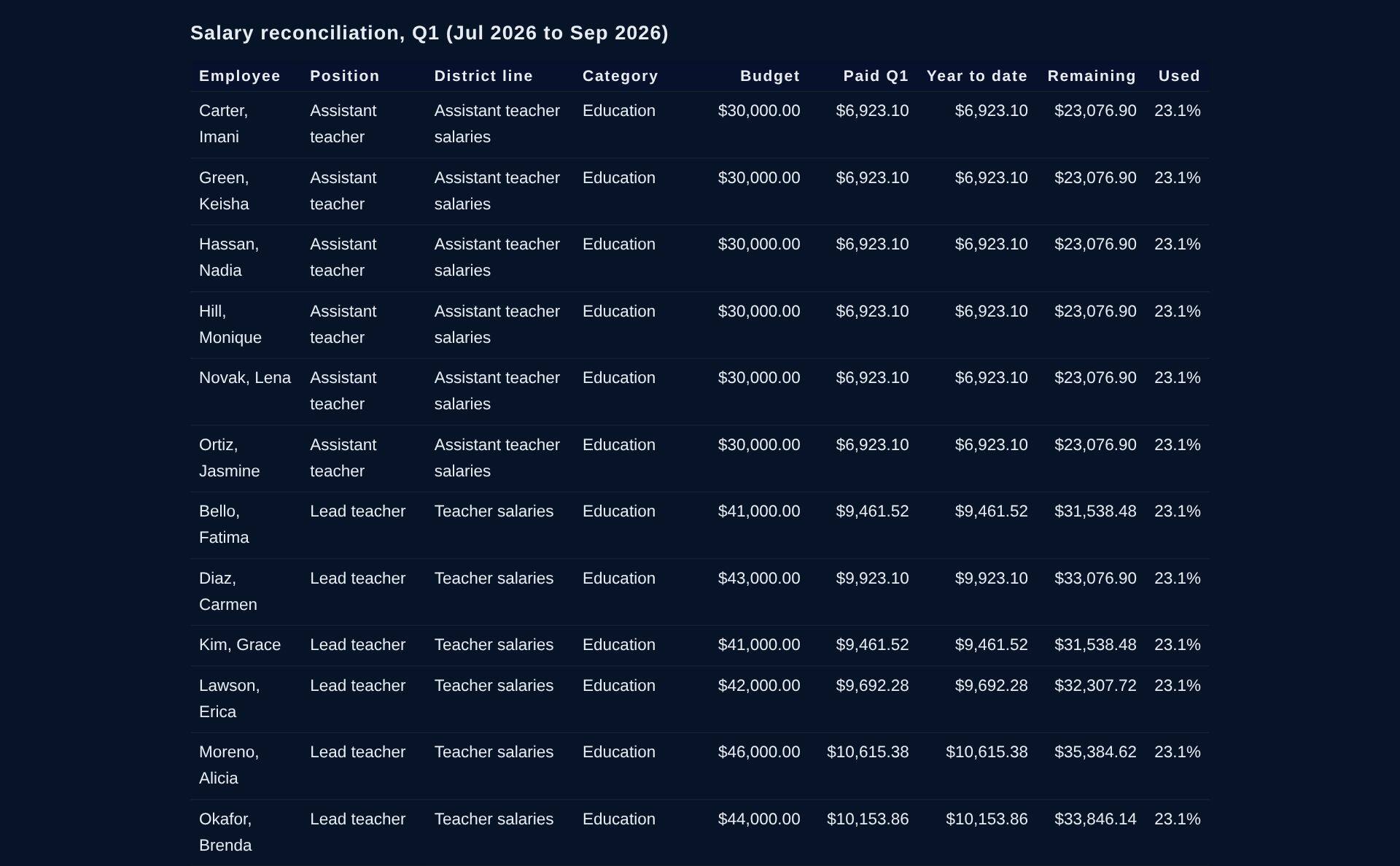
Salary reconciliation by position
Each employee’s position, district line and category, the budget for the position, and what was paid in the quarter and the year to date, from the payroll journals on file.
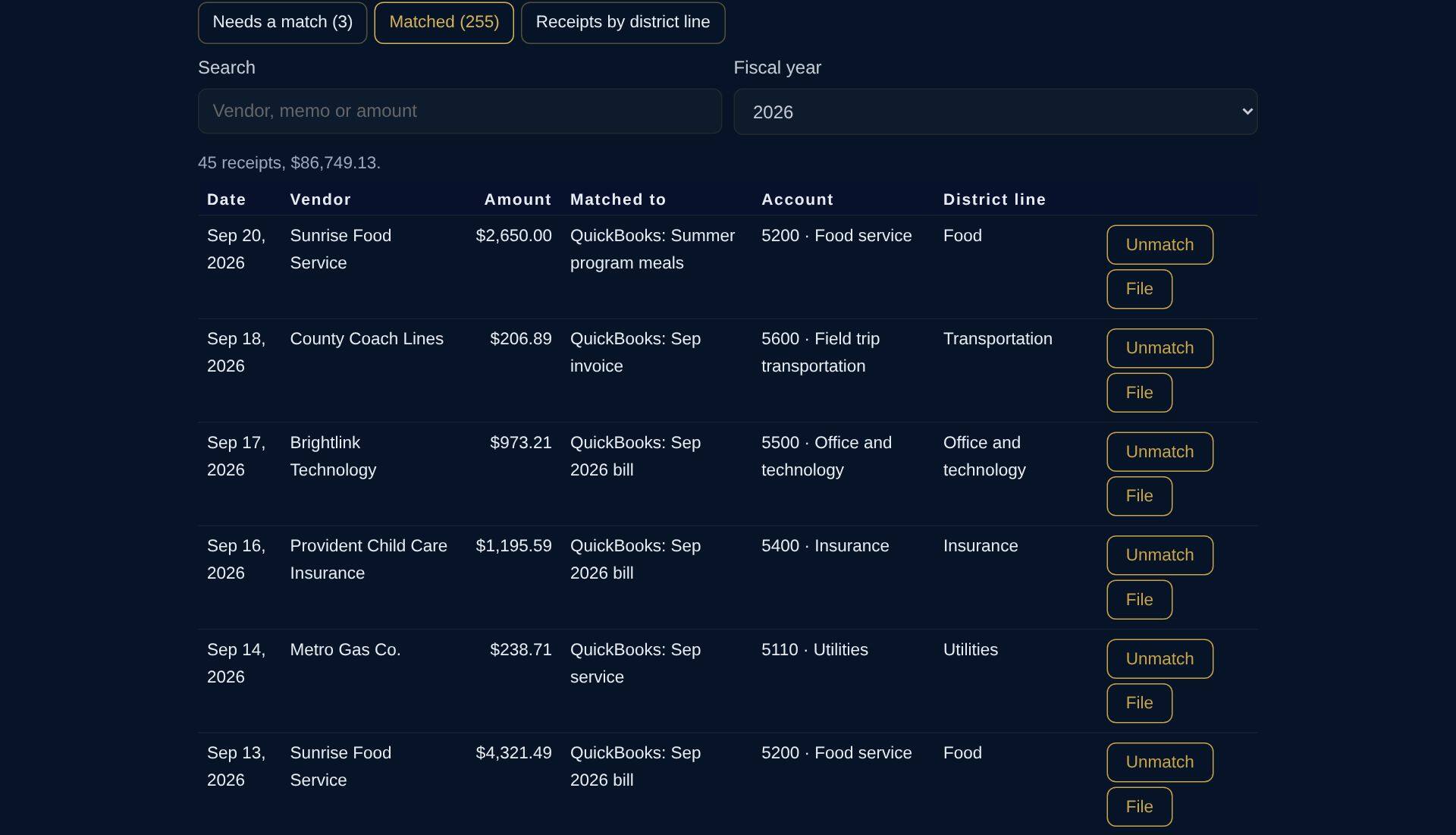
Receipts matched to payments
Every payment out of the bank has its receipt or invoice, matched to its entry in the books, with the budget line it was charged to.
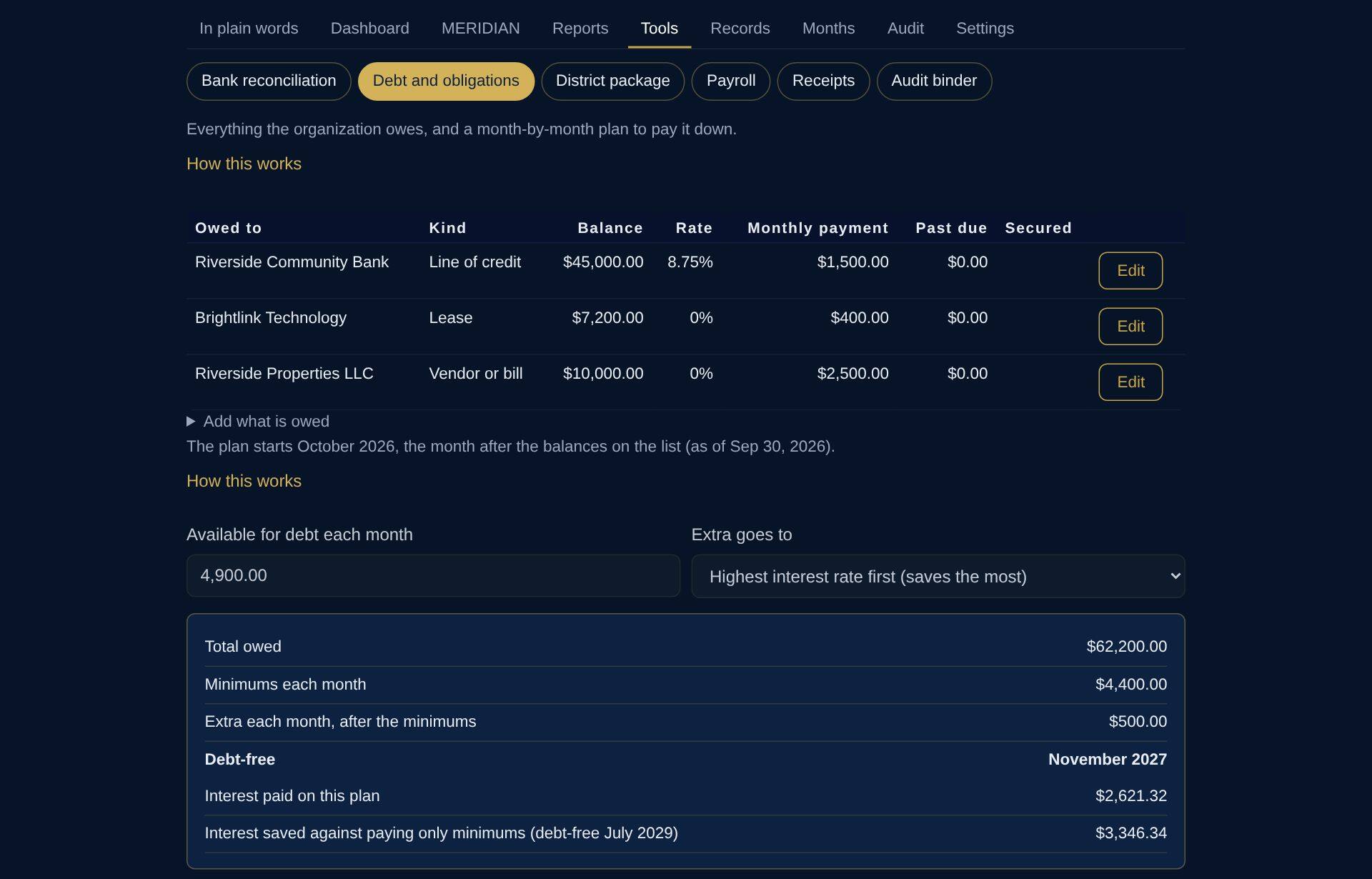
The line of credit and the other debts
The line of credit that carries the wait for district payments, the tablet lease and the deferred rent agreement: minimums, when each is paid off and the interest saved against paying only the minimums.
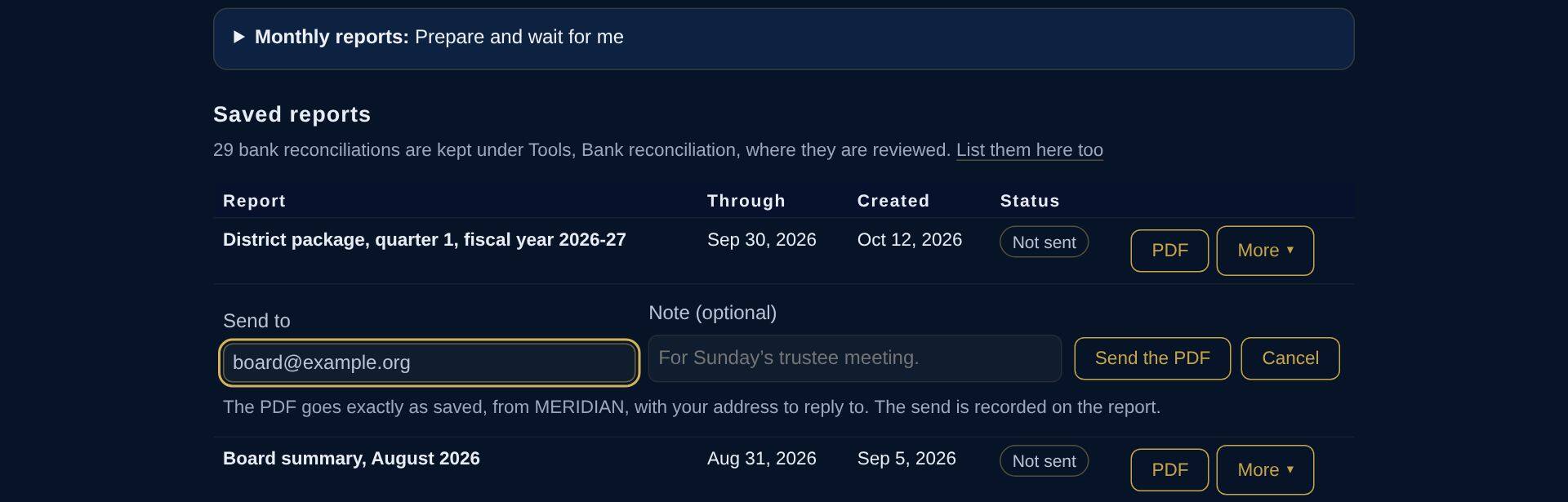
Reports the board can trust
Each month’s board summary, the bank reconciliations and the district package are saved with a fingerprint that shows they have not changed since. Email one from MERIDIAN; the send is recorded on the report.

Records
Everything on file, by area and fiscal year: QuickBooks exports, statements, payroll, governance, the district contract, receipts and invoices.
Sample reports
Open the papers yourself
The same made-up school. Each file says DEMONSTRATION on every page.
Next
See it with your own files
A live walkthrough takes about thirty minutes. Bring the people who keep the books and the people who read them; we will show the demo, then what setup looks like for yours. A seven-day demonstration of your own can also be started from the home page.
MERIDIAN describes the records; it does not audit, review or compile financial statements, and it does not give tax or legal advice.