Home Services About MERIDIAN Get started Pricing Insights Contact Sign in Book a consultation
Schools & Early ChildhoodHead StartNonprofitsChurchesHealth ProvidersSmall Businesses

We Turn Budgets Into
Fiscal
Intelligence.

Princeton Ledger & Consulting builds MERIDIAN, a finance workspace for schools and state-contracted education providers, Head Start programs, nonprofits, churches, health providers and small businesses in the United States, and provides compliance, audit-readiness and advisory work to the organizations that cannot afford a finding.

Budget Against Actual Bank Reconciliation Giving Statements District & Funder Packages Audit Binder Compliance Advisory Audit Readiness Budget Against Actual Bank Reconciliation Giving Statements District & Funder Packages Audit Binder Compliance Advisory Audit Readiness
The MERIDIAN Dashboard

Cash, budget and the month at a glance.

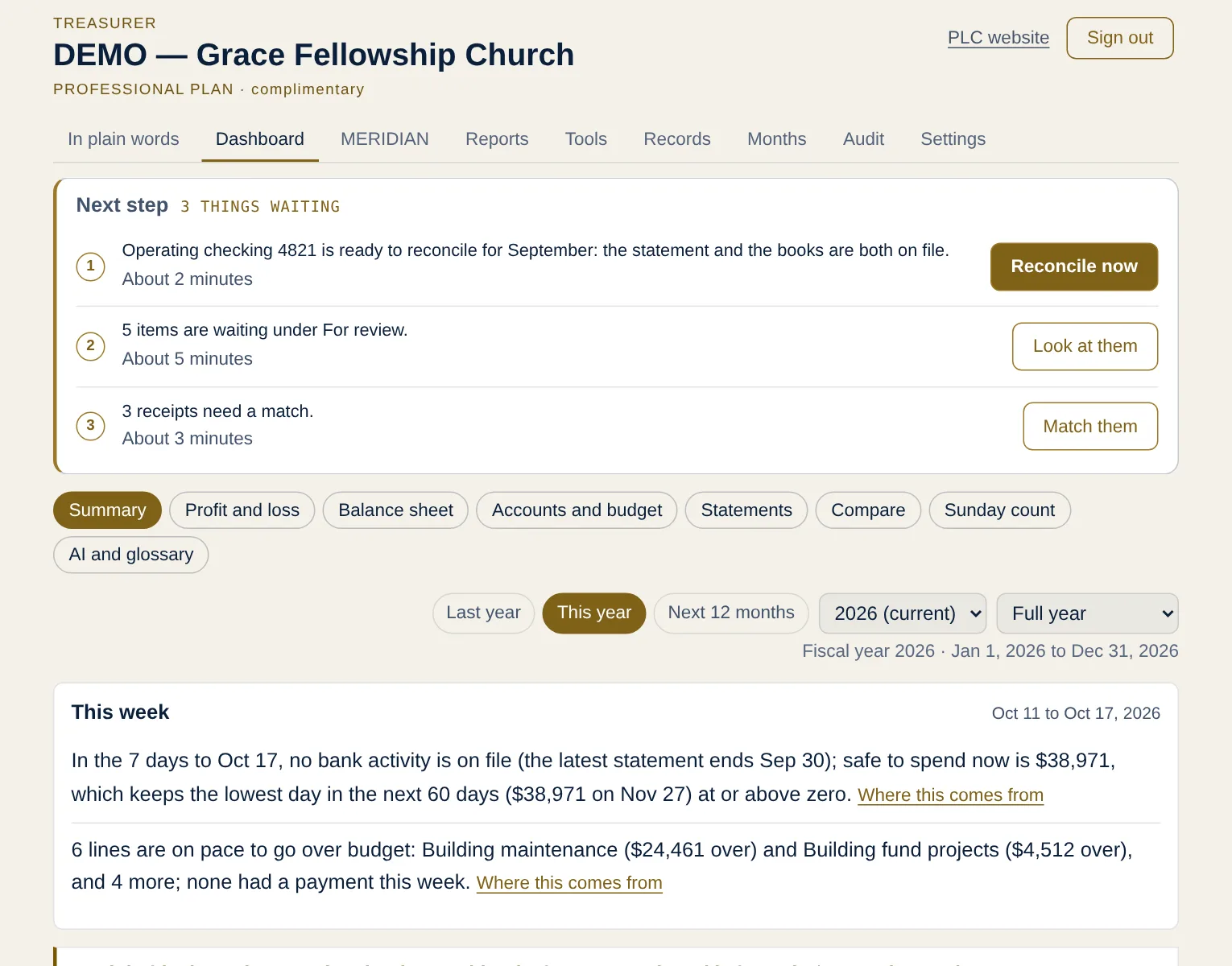
This is the workspace itself, open on a sample organization: what a treasurer or director sees first, in plain words from its own books.

Sample organization · made-up figuresTry the demo
  1. Safe to spend: what you can spend today without running short
  2. Cash ahead: the lowest point coming, found before you reach it
  3. Lines running hot: flagged in month three, not month eleven

See all 14 screens →What’s next for MERIDIAN →

Sample organization · made-up figures
Proprietary Financial Intelligence

Powered by
MERIDIAN™

Every PLC engagement runs on MERIDIAN, a proprietary financial-intelligence system. Ten formulas score an organization's fiscal health, flag overspending before it forces a transfer, size the cash gap between spending and reimbursement, and price compliance risk before it becomes a finding.

The framework is documented. The weightings are held. Available as the Excel workbook, as the hosted MERIDIAN workspace, or inside an advisory engagement.

// MERIDIAN · Active · Trademark filed
"A system built to see the overspend before the auditor does."

Fiscal Years Do Not End Badly
For Many Reasons.

They end badly for three, and all three are timing. Not overspending, not poor record-keeping, not a bad year. The distance between money leaving and money arriving, measured wrong or not measured at all.

Failure one · The reserve
Your budget is committed. Your cash is not.
A contract or award settles the amount, so nobody worries about the money. The exposure is entirely in the wait. Two periods of lag against a thin reserve ends a year no matter how carefully it was spent.
TELL: reserve sized by rule of thumb rather than by your own terms
Failure two · The receivable
You are profitable and still cannot make payroll.
Net-60 and net-90 terms mean you finance your customers. On a mid-sized book that is several hundred thousand dollars of working capital nobody budgeted for, because it never appears as a line item.
TELL: collection running well past the terms you actually wrote
Failure three · The forecast
Your budget was a bet on revenue that did not arrive.
Nothing commits your income. Spending is planned against a number you still have to earn, and a season landing twenty percent light takes the whole plan with it. Everything downstream was built on a figure that never showed up.
TELL: budget and revenue plan are the same number

Your accountant catches none of these, because none of them are errors. Every figure was recorded correctly.

The Advice Everyone Gets
Is An Average.

Published research on what organizations actually hold, what it costs when the record does not hold up, and how long money takes to arrive. None of these figures are ours.

1 mo
Median reserve held
The median US nonprofit holds about one month of operating expenses in reserve. Nearly forty percent hold none at all.
Calabrese, Running On Empty
$1.17T
Linked to repeat findings
Of $6.97 trillion in federal award funds spent from 2017 to 2021, this much was tied to single audit findings that were both severe and persistent.
US Government Accountability Office
82%
Failures tied to cash
Of small business failures cite cash flow rather than profitability. These were companies that ran out of liquidity, not demand.
US Bank study, cited by the SBA
80–90
Days to collect, construction
Retainage, progress billing and approval chains push collection past eighty days. The B2B small business average is forty to fifty.
CFMA · Levelset · Atradius

Three to six months of operating expense is the number nearly everyone is given. It is not calculated from anything about you.

MERIDIAN, live

See the overspend before it happens.

Nia (AI) · 1 of 7

1
flag before a line ever goes over
3
steps: label it, log it, read it
0
accounting skill required

Then Shows You
The Fix.

Catching the overage is half of it. MERIDIAN finds the line with room to spare and the exact amount to move, so a transfer is a two-minute decision, not a year-end scramble. Real math, not a template.

Formally established in 2025, for organizations that answer to a board, a district or a funder. About PLC →

Book a Free Consultation

Ready When
You Are.

Leave your email for a free consultation. We respond with precision, not a sales sequence. Ready to buy the tool instead? See pricing.

Every line. Every quarter.

Six disciplines, one system underneath them. Advisory work is scoped to the result you need; hands-on work is available by the hour.

// 01

Compliance Advisory

Fiscal compliance for publicly funded organizations. Every line kept defensible and every submission clean, before the audit and not after, across the full regulatory landscape you answer to.

Provider-Educator Agreement compliance
Quarterly expenditure review
Regulatory correspondence & response
Finding prevention & documentation
What it preventsAn audit finding that was avoidable eight months earlier, and a funder question nobody can answer.
// 02

Audit Readiness & Consulting

The audit is won in the workpapers, not the room. PLC builds the documentation and the record that answers the finding before it is ever raised.

Audit workpaper preparation
Internal control review
Schedule of findings & corrective action
Management representation support
What it preventsThree weeks of scrambling when the auditor arrives, and a finding that repeats because nothing changed.
// 03

Financial & Budget Advisory

Budgets built from confirmed run-rates so no line has to blow past its authorization. Cash flow, forecasting, and the disclosures that keep related parties clean.

Budget construction & submission
Cash-flow & payroll planning
Payment forecasting
Related-party disclosure
What it preventsA budget that was wrong the day it was approved, and a payroll funded by delaying a vendor.
// 04

Expenditure & Transfer Management

The quarter, run for you: expenditure reports filed clean, transfers prepared before a line tips over, and the aggregate held where the district recaptures.

Quarterly expenditure reporting
Line-transfer preparation
Aggregate / total-line strategy
OTP deployment tracking
What it preventsA transfer denied on timing or wording, and money returned because it was not spent in time.
// 05

MERIDIAN Financial Intelligence

The proprietary system: ten formulas that score fiscal health, flag overspending on pace, size the reimbursement gap, and price recapture and transfer-approval risk before any of it becomes a problem.

Fiscal health scoring (PFHI)
Pace-based overspend flags
OTP recapture risk (ORRS)
Transfer approval scoring (TAPI)
What it preventsAn overrun found in month eleven, and a reserve sized by rule of thumb rather than arithmetic.
// 06

Fiscal Systems & Reporting

The reporting layer built around your funding: models, dashboards, and board-ready analysis that make the numbers legible to funders and defensible to auditors.

Financial model builds
Board & funder reporting
Expenditure dashboards
Data analysis & forecasting
What it preventsA board that cannot tell whether things are going well, and decisions made on a spreadsheet nobody trusts.

Find Yourself
In One Of These.

The six disciplines above are how PLC works when it is engaged. Below is every way to reach them, from a calculator that costs nothing to a firm inside your reporting cycle. The model gives you the numbers and what they mean. The upper rungs add judgment: which lines to move, what a funder will accept, and how to put it in front of them.

What We Actually Practice

Compliance, audit readiness and budget construction are the work. Underneath all of it is one discipline: measuring the distance between when your money goes out and when it comes in, and pricing what that distance costs you. Every engagement starts there because every fiscal year that fails, fails there.

Already running Tableau, Power BI or Domo? See where MERIDIAN sits beside them.

I want to know how much cash my payment terms actually require me to hold, and I want it in about a minute.
→ Cash Bridge Calculator · Free
I run the budget myself. I want to catch a line before it goes over and know where the room is, without hiring anyone.
→ MERIDIAN Business · $997
I want it as software: my QuickBooks records or bank statements in, budget against actual and reports out, for the whole finance team.
→ MERIDIAN Essentials · $349 / mo
I want it set up on my actual budget by somebody who knows the model, and walked through once.
→ Any plan, with PLC remote setup · from $750 one time
Something has already gone wrong, or my quarterly reporting is a scramble, and I need somebody inside the cycle with me.
→ Embedded Advisory · Scoped to your organization
I only need one thing: an audit prepared, a budget built, a reporting package that a board can read.
→ Individual discipline · Scoped per engagement

Products carry a price because the deliverable is fixed. Advisory work does not, because the effort is not. Audit preparation, budget construction, reporting packages and retained engagements are quoted after a conversation about what the work actually involves. That conversation is free.

Start here
Cash Bridge Calculator

Size the gap between spending and getting paid, in the browser, in about a minute. No signup and no email.

Free
Most businesses
MERIDIAN Business

The full model in Excel. Your own budget lines, monthly spend tracking, overspend flags on pace, reallocation targets, cash-bridge sizing, trend tracking across the year, and a scored fiscal position. Yours to keep permanently, with 30 days of support included.

$997
The live version
MERIDIAN Plans

The hosted workspace. Upload the QuickBooks general ledger, or bank and card statements if you keep no accounting software, and the Dashboard shows budget against actual, pace and a year-end projection for every line. Essentials includes the MERIDIAN model on your own figures, the Dashboard charts, the standard reports and an organized document file for your auditor; Professional adds bank reconciliation, district and funder packages with payroll reconciliations, the audit binder, giving statements and a debt plan. Bought on this site; setup options are on Pricing. Your $997 workbook credits toward your first year.

from $349 / mo

Everything else starts with a conversation.

Audit preparation, budget construction, reporting packages, transfer management and embedded advisory are not sold from a page. The work varies too much, and a price quoted before anyone understands the scope serves neither of us. Tell us what you are facing and we will tell you what it takes. That conversation is free and carries no obligation.

Support beyond the included period, model customization, and every advisory engagement are scoped to the work rather than quoted from a list.

The MERIDIAN
Process.

Every engagement runs the MERIDIAN framework. Four phases. No skipped steps. No exceptions.

01
Diagnose

PLC maps your approved budget, actuals, and compliance posture against the regulations you answer to. No assumptions. No templates before the picture is clear.

02
Model

MERIDIAN builds the fiscal picture (health, pace and exposure), calibrated to your organization and the funding you operate under.

03
Manage

PLC runs the quarter: expenditure reports filed, transfers prepared before a line tips, submissions clean on the first pass.

04
Sustain

PLC does not file and disappear. The record is maintained, the intelligence stays live, and the position holds through the audit and into the next year.

Book a Free Consultation

Not Sure Which
One You Need?

Tell us what you are facing and we will tell you what the work involves and what it costs. The first conversation is free and carries no obligation. Or book a consultation with the full form.

The firm behind the numbers.

// The Company
Princeton Ledger & Consulting

Princeton Ledger & Consulting LLC is a compliance, audit-readiness and financial-advisory firm, founded in 2025 to bring budget intelligence to schools and state-contracted education providers, Head Start programs, nonprofits, churches, health providers and small businesses in the United States.

MERIDIAN is the workspace those organizations use for their own books. PLC adds hands-on compliance and advisory work where a district, a funder or a board reviews every dollar and every line has to hold. Budget intelligence, audit readiness and financial advisory, under one firm.

// Our Market
Who PLC Serves

PLC's market is district administrators, preschool and Head Start operators, nonprofit directors, church treasurers and finance committees, health-provider administrators and small-business owners managing public, donated or earned money in the United States.

These are people who have seen too many advisors bill hours and dodge accountability. PLC speaks their language because it has built the budgets, run the quarterlies, and answered the findings.

// The Methodology
Powered by MERIDIAN

Every PLC engagement runs on MERIDIAN, the workspace on the MERIDIAN page.

MERIDIAN is not a template. It was built and proven in a real operation across a full fiscal year. The scoring is authored, the logic is ours, and the details are available on engagement.

// Position
What Sets PLC Apart

PLC is not a bookkeeper. PLC is not a hallway consultant. PLC is a firm, with the regulatory fluency, the proprietary intelligence, and the record to keep an institution's money defensible when it cannot afford to get it wrong.

PLC does not discount its hourly work. Setup fees are waived only through published program codes. The pricing reflects the rigor. The rigor reflects the standard.

Private on-premise data storage is coming in 2027. Ask us if you would like to hear when it opens.

How PLC
Operates.

// 01
Precision Over Speed

PLC moves with intention. Every submission is deliberate. Fast is not a value; defensible and durable is. Organizations cannot afford to redo a filing.

// 02
Delivery Is The Standard

PLC does not measure itself by effort. The standard is outcomes: clean submissions, no transfers, no findings. If it is not defensible, it is not done.

// 03
Earned Credibility

PLC does not arrive cold. The regulatory knowledge, the district relationships, and the proven model come pre-established through a full year inside a live organization.

// 04
Priced at the Value Delivered

PLC prices its work at the value it delivers. Organizations that negotiate rigor down do not receive PLC's best work; they receive exposure instead.

// 05
Protect the Client

Client details are confidential. Engagements are available on request. PLC does not publicize relationships without explicit permission.

// 06
Forward by Design

PLC does not manage for today. Every budget and system is built for the audit two years out, not just the submission due this quarter.

Budget Intelligence
For Every
Organization.

MERIDIAN catches overspending before it happens, and sizes the cash you need to bridge the gap between spending and getting paid. Built and calibrated across a full fiscal year in a live operation, then delivered as an Excel workbook you download and run in minutes. You already pay for the bookkeeping. This is the part it does not do.

Get MERIDIAN, $997 → Delivered on this page and by email after payment · Works in Excel

Problems, Before
They Cost You.

// 01

Overspend,
On Pace

Most tools tell you a line went over after it already did. MERIDIAN reads your run-rate and flags a line the moment it trends over — quarters before year-end, while you can still act.

// 02

Where To
Reallocate

When one line runs hot, MERIDIAN shows which lines have room — the exact surplus to pull from and the target to cover. No guesswork. No end-of-year scramble.

// 03

Financial
Health, Scored

Ten formulas distill your whole fiscal position into scores you read at a glance — health, risk, flexibility, and how much cash the lag between spending and getting paid actually requires.

// 04

Your Lines,
Your Sector

You bring the lines — payroll, rent, materials, food, whatever they are. Paste them from your accounting export and MERIDIAN sorts them, then watches them. Born in funded education; the same math serves nonprofits, churches and small businesses with a budget to protect.

// 05

The Cash Gap,
Sized

Construction runs 80 to 90 days to collect. Healthcare runs 45 to 70. The B2B small business average is 40 to 50, before anyone pays late. Every one of those days is spending you have already made and not yet been paid for. The standard advice is to hold three to six months of expense, which is an average rather than an answer. MERIDIAN computes the number your own payment terms require, and the amount to set aside each month to reach it.

// 06

Last Year’s Bills,
This Year’s Money

Every obligation carries two dates: written and cleared. When those fall in different fiscal years, you closed the year on borrowed cash and opened the next one short. Standard reporting never shows it, because it is not an expenditure problem. MERIDIAN puts a dollar figure on it.

Three To Six Months
Is Not Your Number.

The median organization holds about one month of operating expense in reserve. The standard advice is three to six. Neither figure is calculated from anything about you. Enter your own numbers below and MERIDIAN returns the amount your payment schedule actually requires, and what to set aside each month to reach it. Most people find the gap between the two uncomfortable.

meridian — cash bridge
Cash bridge required $233,333 One period of operating cost, incurred before the money arrives.
Set aside monthly$23,333
Still to fund$233,333

At this pace you reach the requirement with the month to spare. Miss it and the shortfall becomes next year’s opening balance.

That is the bridge. MERIDIAN sizes it against every line in your budget — weighting the months each obligation actually falls, not a flat annual average — then tracks whether you are on pace to hold it.

Three Steps.
No Accountant.

If you understand your budget, you can run MERIDIAN. That is the entire learning curve.

01
Enter Your Budget

Paste your chart of accounts from QuickBooks, Xero, or a spreadsheet. MERIDIAN sorts the lines for you. No re-entry.

02
Log Spend Monthly

One figure per line, once a month — the same number your bookkeeper already produces. No receipts to scan, no second system to keep up.

03
Read The Lights

Green, yellow, red. MERIDIAN projects where every line lands and warns you the moment one trends over. That is it.

Built For
These Organizations.

Churches & Religious Organizations State-Contracted Education Providers Head Start & Early Head Start Community Action Agencies Grant-Funded Nonprofits Home Health & Adult Day Community Health Centers Medical, Dental & Veterinary Practices Construction & Subcontracting Professional Services & Staffing Manufacturing & Wholesale Retail

Ten Formulas.
Three Floors.

Six score the organization. Three score a funder’s portfolio and the state above it. One — the newest — measures the interval between spending and getting paid, which is where most fiscal years actually break. Every formula is deterministic: the same inputs return the same score, and every score traces to a line in your own budget.

PFHI

Fiscal Health Index

One composite score across utilization, reserve adequacy, revenue dependency, compliance posture, margin, and transfer history.

RLE

Reimbursement Lag Exposure

The cash bridge your payment schedule actually requires, and the monthly amount to reach it.

BER

Budget Elasticity Ratio

What is genuinely discretionary after fixed obligations, staffing floors, and restricted balances come out.

ORRS

Recapture Risk Score

Use-or-lose money scored against the calendar. Velocity gap, dollar exposure, days remaining.

TAPI

Transfer Approval Probability

Scores a budget transfer request before you submit it, on timing, justification, and history.

CES

Compliance Exposure Score

Financial, operational, regulatory, and physical plant compliance in one figure, with a critical flag.

EET

Expansion Threshold

The minimum volume a new site or line of service needs to carry its own cost.

DPRI

Portfolio Risk Index

Individual scores aggregated across a funder’s whole portfolio, weighted by budget size.

SPII

State Portfolio Intelligence

Portfolio scores rolled up statewide for allocation decisions.

DFES

Funding Efficiency Score

How effectively a district or funder converts allocation into provider health.

The structure is published. The calibrated weightings for each score, and the benchmark tables used in client engagements to set the bands by funding type, are held as trade secrets and are not disclosed in the model or in any filing. The public reading on this site applies one standard set of bands to every organization, and states those bands in its methodology.

Five Ways To
Use The Model.

Start free, own the workbook, or work in the hosted workspace. Everything below has a fixed price and is bought on this site. Advisory work is scoped in conversation.

See a sample reading →See pricing →
Fifteen minutes. Your numbers. Live.
Bring your budget total, your monthly payroll, and how long you wait to get paid. We’ll run them through the full model on the call and tell you what it finds — the bridge figure, the lowest cash point, and whether anything is quietly off pace. No preparation, no slides, no obligation. If the model finds nothing, that is worth knowing too.
Book a reading →
Replied within one business day
Cash Bridge Calculator
Free
No signup
  • Size the gap in about a minute
  • No email, no account
MERIDIAN Business
$997
USD · one-time · yours to keep
  • Seventeen tabs, over two thousand formulas
  • Live dashboard and trend tracking
  • 31-page illustrated guide
  • 30 days of support included
MERIDIAN Essentials
$349/mo
The hosted workspace · + $250 setup
  • The MERIDIAN model on your own figures
  • Dashboard with charts: cash runway, cash bridge, pressure heatmap, budget by line with drill-down
  • QuickBooks uploads, or bank and card statements on their own
  • Standard reports as PDF and Excel
  • Receipts, documents, records protection and full export
  • Sunday count and giving entry for churches
  • Workspace assistant: 10 questions a month
  • 3 people, second-factor sign-in for finance roles
Professional
$1,250/mo
Closes the books, answers to funders · + $500 setup
  • Everything in Essentials
  • Bank reconciliation against QuickBooks
  • District, grant and funder packages, with payroll salary and benefits reconciliations
  • Audit binder
  • Giving statements for churches
  • Debt and obligations plan
  • Charts in report PDFs
  • Workspace assistant: 100 questions a month
  • 10 people
Premium + Advisory
$2,500/mo
Adds a person · + $500 setup
  • Everything in Professional
  • A 30-minute call with PLC every month
  • A quarterly review with a two-page memo
  • A direct line to PLC for questions between calls
  • Workspace assistant: 300 questions a month
  • Unlimited people

Setup is self-serve, or PLC sets it up with you. Every setup option and its price is on Pricing.

Already bought MERIDIAN Business? Its price is credited toward a first year of any plan bought within 12 months. Nothing is wasted by starting with the file.

What Comes
With It.

Everything below is included with MERIDIAN Business at no extra cost. The capabilities guide is available to anyone.

Included · With purchase
MERIDIAN User Guide
Thirty-one pages. A worked example running through every tab, a one-page quick reference, a map of how the tabs connect, and a section on the five places people actually get stuck.
PDF · Delivered at checkout
Included · With purchase
The Excel workbook itself
Seventeen tabs, over two thousand formulas. A live dashboard, month-by-month pace flags, cash and revenue tracking, and a trend tab that turns twelve months into a direction.
XLSX · Excel 2016 or later
Open · No purchase needed
PLC Capabilities Guide
Twenty-four pages on what we do, what a diagnostic finds, how the model is built and tested, and how to verify us without a case study. Written for the person who has to justify the engagement to somebody else.
PDF · Ask and we will send it

Want the capabilities guide before you buy anything? Ask for it here and we will send it the same day. No sales sequence attached.

One License. Instant Access.

Buy it on this page, download it, and open it in Excel today. Yours to keep, with 30 days of support included.

Proprietary System
Trademark Filed
Calibrated In Production
Locked & Licensed

Want More
Than A File?

The hosted workspace is bought on this site. Hands-on work and multi-organization agreements are priced below; anything else starts with a conversation, and the first one is free.

// The Workspace

MERIDIAN,
Hosted

The Dashboard, reports and tools on your own records, for your whole finance team, with nothing to maintain. An assistant answers questions about the figures on screen. From $349 a month.

See Pricing →
// Hands-On

Done
With You

Hands-on work at $225 an hour, a 90-day turnaround for $7,500 to diagnose the books and rebuild the budget, or Premium + Advisory with a monthly call and a quarterly review.

// Institutional

Several
Organizations

Several entities, districts or campuses under one agreement, with custom reports and board materials and a named contact at PLC. From $4,500 a month, priced after a conversation.

Your software records what happened. MERIDIAN measures the gap.

MERIDIAN measures the interval between money leaving and money arriving, sizes the cash it demands, and flags the lines that will breach before they do.

See a sample reading →See pricing →

Below is a preview of what MERIDIAN reports on a made-up school, nonprofit or church: its headline figures and two charts. The whole report, on your own books, is in the workspace.

Your own figures go in your workspace, behind a sign-in. It is described further down this page.

MERIDIAN · sample reading
MERIDIAN · Sample readings

A preview, on a sample organization

A reading is MERIDIAN’s report on where an organization stands: whether cash will hold, what is safe to spend now, which budget lines are heading over, and what can cover them.

Pick the sample closest to yours to see the first part of its reading. Every name and figure is made up.

  • What the model returns: four headline figures, from Cash bridge required to Net position
  • Cash bridge coverage: whether cash on hand covers the wait for income
  • Every line projected to year end: each budget line at its pace so far
Sample organization · made-up figures.
Step 01 · Configure

What kind of organization are you?

One choice sets the modules, the payment pattern, the vocabulary and the fields on screen.

Step 02 · Giving

What comes in each week?

A church is not invoiced and does not wait on a payer. Income arrives every Sunday, so the model is built from attendance and giving, not from a payment term. Enter the last several weeks; the forecast is read from them.The sample’s last eight Sundays set the forecast.

Week endingAttendance TithesOffering Special givingSpecial purpose TotalPer attendee
Special giving calendar

Days the congregation gives above the weekly base. Amount is what you expect this year.

EventMonthExpected
Drives and pledge campaigns

Committed money collected over time. Collection rate is the share of pledges that actually arrives.

CampaignGoalStartsMonthsRate
Seasonality

How each month runs against an average Sunday. 1.00 is average; July at 0.85 is a summer dip, December at 1.22 is the year-end peak. Change these to match your own history.

Projected giving against monthly expense
Twelve months, month by month
Step 02 · Income

Where does the money come from?

StreamAnnual amountVolumeRateWhen it reaches youShare
Volume and rate are optional. Enter them and the model reads revenue per unit; leave them blank and it works from the annual amount alone.
Seasonality · optional
Income received against monthly expense
Twelve months, month by month
Step 02 · Terms

When does the money reach you?

Filled in from your sector. Change it if your own terms differ.

Step 03 · Budget

Your budget linesWhere the budget goes, and how it is running

LineAnnual RoleAccrues M1M2 M3M4 M5M6 M7M8 M9M10 M11M12 To date % by now
Scroll the table sideways to reach later months
Where the budget is committed
Spend to date against even pace
Step 05 · Obligations

What is owed, and how does it get paid down?

Money the organization owes that is not in the budget lines: salary that was missed, a loan behind, a vendor balance, a denominational assessment in arrears. Enter what was owed coming into the year, what has accrued so far this year, and whether it is still growing each month. The model reads the surplus the year actually produces and schedules the paydown.

Owed toWhat it isOwed entering the yearAccrued this year so farStill accruing / monthPriorityTarget payment / month
Outstanding balance, month by month
Repayment schedule on the figures enteredthe sample’s figures
Multi-year plan
Obligations and cash, year by year
Year by year
Path to balance
Step 04 · Prior years

How does this year compare?

Optional. Add last year and the reading gains a year-over-year column on every measure and every line. Add more years and it reads the trend across them. Enter what you have; blank cells are simply left out of the comparison.The sample’s prior year, set against this year on pace.

Step 05 · Statements

Do the entries match the bank?

Optional. Add bank and credit card statements exported as CSV, OFX or QFX. They are read here in your browser and never uploaded. MERIDIAN totals deposits and spending by month and ties them to what you entered; any month that does not match appears in Data checks. Transfers between your own accounts and card payments are set aside so nothing is counted twice.

Schools & childcare · District reporting

Quarterly district reports, filled from your books

For district-contracted and Head Start programs. Load the district’s approved Budget Planning Workbook and your general-ledger export (CSV or Excel), or type the figures in. MERIDIAN matches ledger accounts to the district lines, totals them by quarter, and fills in the Expenditure Report, the Adjusted Expenditure Report, the Salary Reconciliation and the Benefits Reconciliation. Every file is read and written here in your browser; nothing is uploaded.

Downloads are Excel files with the district’s layout and working formulas. Yellow cells are for anything the ledger cannot supply, such as review adjustments and individual paychecks.
Live · Scores

What the model returns

Every figure recalculates on each keystroke. Cards for modules that do not apply are not shown.The four headline figures for the sample, and the charts behind them.

Cash bridge coverage
Every line projected to year end
This is a quarter of the reading

The rest runs on your own books

Safe to spend today, the month cash runs low, every line running hot, what you owe and when it is paid down, the next three years and the reading written for your board. In your workspace, from your QuickBooks file or bank statements.

Live · Reallocation

Where to move money from, and how much

Lines running over on the left, lines with room on the right, and the exact amount available from each. Movable is eighty percent of the surplus, so covering one overage does not create the next.

Bridge—Held—Net—Over—Elasticity—Live · recalculatedSample organization
There is more underneath
Restricted funds, expansion break-even, fiscal year crossover, multi-stream lag, scenario modelling and the fiscal health composite. Open it if you want to see how far the model goes.
Module · Restricted Funds

Use-or-lose money

Grant awards, designated gifts, categorical allocations, or retainage held on completed work. The figures shown are an example; this module enters your report once you enter your own.

Burn rate against what the deadline requires
Module · Expansion

Does a new site or service carry its own cost?

Break-even volume with a compliance margin. The figures shown are an example; this module enters your report once you enter your own.

Module · Crossover

How much of last year came out of this year’s money?

Obligations carrying two dates. Written in one fiscal year, cleared in the next. The figures shown are an example; this module enters your report once you enter your own.

Module · Multi-Stream

More than one funding stream?

Each stream is paid on its own schedule, so each carries its own bridge. Add them here and the bridge above is replaced by the sum of the parts. Leave it empty and the single lag from Step 02 is used.

StreamAnnual funding Lag periodsShare of cost Bridge
Live · Scenarios

What if terms slip, or costs move?

Move a slider and every figure below recalculates against the same base. Nothing here changes your entered data.

Base against scenario
Live · Composite

Fiscal health, scored

Six inputs into one figure. Bridge coverage and utilization come from your entries above; the remaining four are yours to set. This preview runs equal weighting, so read it as direction rather than as a percentile. It enters your report once you set the four inputs yourself.

The six dimensions behind the score
Your report

The written analysis

Your figuresThe sample’s figures, read the way an analyst would read them: what the position is, what is driving it, what to watch, and the questions your leadership should be asking. Descriptive, not prescriptive.

Live · Reading

The reading

Thesis, numbered findings, position against plan and threshold, scenarios, and what would change the verdict. Every figure is compared to something. Descriptive only.

This report is descriptive. It sets out what the figures entered produce, compared to plan, to even pace, to stated thresholds and to the prior years entered. It is not accounting, audit, legal, tax or investment advice, and it does not direct any course of action. Decisions about the organization, including the order and timing of any payment, rest with its governing body and its own advisors. Princeton Ledger & Consulting LLC provides advisory services only under a separate written engagement.
Take the report with you
A PDF of the inputs, every score, the charts and the written analysis, and the bookkeeper’s workbook in Excel. Both are built on this device.
The Excel workbook opens on a one-page leadership summary for the monthly meeting and a plain-language congregation summary for the quarter, followed by every figure behind them.
Nothing on this page is sent anywhere: the PDF and the workbook are built in this browser.
Live · Report

Board-ready summary

Everything above on one page, for the board packet. Print it with "Print the one-page summary" above.

Built for twelve sectors

Each Sector Reads
On Its Own Terms.

State-contracted education providers
Final period settled after year end
Enrollment, district payment timing, quarterly reporting
Head Start and Early Head Start grantees
Quarterly drawdown, paid in arrears
Drawdown timing, enrollment, the cash carried between draws
Community action agencies
Quarterly drawdown, paid in arrears
Multiple grants, reimbursement lag, restricted funds
Churches and religious organizations
Seasonal giving with low months
Attendance, giving per attendee, the December peak and the January low
Home health, adult day and LTSS providers
Claims billing with adjudication lag
Client hours, payer lag, payroll against receipts
FQHCs and community health centers
Claims billing with adjudication lag
Encounters, payer mix, grant and claims timing
Medical, dental and veterinary practices
Claims billing with adjudication lag
Patient volume, insurer lag, fixed costs
Construction and subcontracting firms
Invoiced monthly, 90-day terms
Retainage, draw timing, project volume
Professional services firms
Invoiced monthly, 60-day terms
Billable hours, collection days, payroll
Staffing and recruitment firms
Invoiced monthly, 60-day terms
Payroll paid weekly against client terms
Manufacturing, wholesale and logistics
Invoiced monthly, 60-day terms
Inventory, receivables, buyer concentration
Retail and point-of-sale businesses
Paid in the same period
Seasonality, inventory, fixed-cost share

What to gather and every setup step for your kind of organization are on Get started.

Three Layers.
Only One Looks Forward.

Most organizations already own the first two. Neither one measures timing, and timing is what ends fiscal years.

Layer One · The Ledger
QuickBooks · Sage · Xero
Records every transaction accurately and files it on time. Built to be correct about the past.
Cannot tell you what happens next
Layer Two · The Picture
Tableau · Power BI · Domo
Renders whatever you hand it, beautifully. The chart is only as good as the model behind it.
Cannot tell you what to measure
Layer Three · The Model
MERIDIAN™
Reads your budget and your payment terms and returns the cash your schedule actually demands, the lines trending past budget, and what you can genuinely change.
Tells you while there is still time
Ask a dashboard how much cash your payment terms require you to hold and it has no answer. That is not a chart. That is a model.
Building that model is the hard part, and it is the part nobody sells to a finance function of one or two people. Enterprise planning platforms start near thirty thousand a year and take months to stand up. We built it once, calibrated it in production, and made it run on a budget you already have.

Four Questions Nobody Else Answers

Not because they are hard to compute, but because no category owns them. Ledgers look backwards. Dashboards draw what you hand them. Planning platforms price themselves out of reach of a finance function of two.

The interval
How much cash does my schedule demand?
Not three to six months of expenses. The figure your own payment terms require, and the monthly amount to reach it.
The boundary
How much of last year came out of this year?
Obligations recognized in one year and settled from the next. Properly recorded, entirely invisible, compounding annually.
The ceiling
What can I actually change?
Discretionary spending separated from contracts, staffing floors, cost of goods and restricted funds. Usually a fraction of what leadership assumes.
The lead time
Which line goes over, and when do I hear?
Projected on each line’s own accrual pattern, so a ten-month lease and an annual premium are not reported as overruns. Month four, not month eleven.

Already have a BI tool? If you hold Tableau, Power BI or Domo licences and nobody in the building knows what to put in front of your board, that is a conversation worth having. We build the model; your tool renders it.

The workspace · In the current release

What The Workspace Does With Your Records

The reading above is a sample. The workspace works on your own books, for your whole finance team, under your own titles (treasurer, controller, fiscal officer or finance manager), with every finance role and the external auditor signing in with a second factor. This is what it does today.

01 · Dashboard
Budget against actual for every line, the pace each line is running at, and where it lands at year end. Month by month, in your sector’s own words.
02 · Your records
Upload the QuickBooks general ledger and account list; overlapping uploads are never counted twice. No accounting software? Upload bank and card statements and the Dashboard runs from them.
03 · Bank reconciliation
The statement against the books, with outstanding checks, deposits in transit and bank fees listed. Saved with a fingerprint and reviewed by someone other than the preparer.
04 · Giving
For churches: the Sunday count from a photo of the tally sheet, gifts imported by giver, and year-end giving statements as one PDF.
05 · District and funder packages
Lines by quarter against the approved budget. Any line on pace to go over budget is explained before the package saves, as PDF and Excel.
06 · Audit binder
The list an auditor usually asks for, checked against what is on record, and downloaded as one ZIP with an index.
07 · Debt plan
What is owed, the payoff order and the debt-free date, saved as PDF and Excel.
08 · Reports
Budget against actual, board summary, board packet, close packet, event report and check register, saved as PDF and Excel with a fingerprint. Professional adds charts to the PDFs.
09 · Assistant
Answers questions about the figures on screen, typed or spoken through your browser’s own voice typing, and walks you through each screen. Nothing changes until a person approves it. Included with every plan, with a monthly question allowance.

Bought here, billed here. Plans are bought on this site and every receipt comes from Princeton Ledger & Consulting. Essentials can add the bank reconciliation, giving statements, audit binder or debt plan one at a time; Professional and above include all four. Setup options are on Pricing. Custom formulas and multiple entities are scoped and quoted on their own.

MERIDIAN · What’s next

What’s Next For MERIDIAN

Everyone will have AI. What matters is numbers you can trust, each one traced to its source, and a person who stands behind them.

Available now
  • MERIDIAN readings on your own records: will cash hold, what is safe to spend now, and which lines are running hot
  • The cash plan and Safe to spend
  • Board-ready reports, saved as PDF and Excel
  • Audit-ready records: documents organized for your auditor, with records protection and a full export
  • Elena, the AI workspace assistant: guided setup, and reports made when you ask (you review them and press Send)
  • Photo and PDF readers for receipts and statements
Arriving with the October 31 update
  • “For review” checks on your own records, such as possible duplicate payments
  • A weekly “This week” brief of what changed
  • Every figure showing its source transactions
  • Forecast ranges from your own history around the cash plan
  • One-sentence what-if scenarios
On the roadmap for 2027
  • Optional read-only connections to QuickBooks Online, Paychex and Pushpay, switched on as each provider approves
  • Anonymized, opt-in peer benchmarks, shown only when enough organizations are pooled that none can be identified
  • Portfolio views for denominations, districts and funders, with each member’s consent
  • Agents that prepare the month-end close, district packages, grant reports and board decks for a person to approve. MERIDIAN never moves money.
  • An auditor’s view with a running audit-readiness score
  • Asking MERIDIAN by text message

The roadmap is a plan, not a promise of dates.

The thinking behind the work.

PLC writes on cash timing, compliance and the fiscal decisions that separate organizations that stay ahead from those that scramble: schools and early-childhood providers, grant-funded nonprofits, churches, health providers and growing businesses.

Grant-Funded ProgramsSeptember 2026

Paid in Arrears: The Cash a Grant Makes You Carry

A fully funded grant can still leave a program short every quarter. Reimbursement timing, not the award, decides how much cash you need.

ChurchesSeptember 2026

Why a Church Can Balance Its Budget and Still Run Short in January

Giving for the year covers expense, and the account still dips. The reason is timing, and the size of the dip is computable.

Health ProvidersSeptember 2026

Claims Lag Is a Loan to Your Payers

Between the visit and the payment sit adjudication, denials and resubmission. That interval has a price, measured in cash held.

Growing BusinessesSeptember 2026

Net-60 and Retainage: Sizing the Cash Your Customers Borrow

Terms that look routine on an invoice add up to a standing loan from you to your customers. The loan has a size, and it grows with the business.

Contact PLC

Book a free consultation.

PLC protects client confidentiality as a standard, not a policy. Engagements, references and the proof behind MERIDIAN are available to qualified organizations on request. Advisory work is scoped and quoted after a conversation; the first one is free.

Request received. A confirmation is on its way to your inbox, and you’ll hear from us within one business day with times to talk.

Prefer to talk? Call or text (215) 805-1364, or email info@princetonledgerconsulting.com.

// Approach
No Public Case Studies

PLC does not publish client details, budgets, or organizational data without explicit written permission. Every client receives that standard from day one.

// Access
Available on Request

Qualified organizations may request engagement details, references, and documentation through direct outreach. PLC responds within one business day.

// Standard
Institutional-Grade Delivery

The same four phases for every client, from diagnosis through sustained operation (see how PLC operates). The standard does not change with contract size.

Know what you need before you start.

Setting up MERIDIAN is a short checklist inside your workspace, and you are never on your own with it. Elena, the AI workspace assistant, points to each box on screen when you press Show me, answers questions in your own words, and opens the right screen when you ask her to add a file or make a report. Choose your kind of organization to see what to gather and every step ahead.

Choose your kind of organization

Before you start

What to gather

Most of it comes straight out of QuickBooks or your online banking.

Inside your workspace

The setup steps

Each step is marked done from your own records as you go. Press Show me on any step and ElenaAI points to the box to fill.

    Stuck at any point? Ask ElenaAI in the workspace, or have PLC set it up with you: setup options are on Pricing.

    Choose by what you need MERIDIAN to do.

    Every plan runs the same engine on your own books, whether you run a school or childcare center, a Head Start program, a nonprofit, a church, a health provider or a business. Budget size only suggests a starting point; an organization of any size can choose any plan. Every purchase happens here on this site, and every receipt comes from Princeton Ledger & Consulting.

    Compare every feature, plan by plan

    See the plans in the workspace

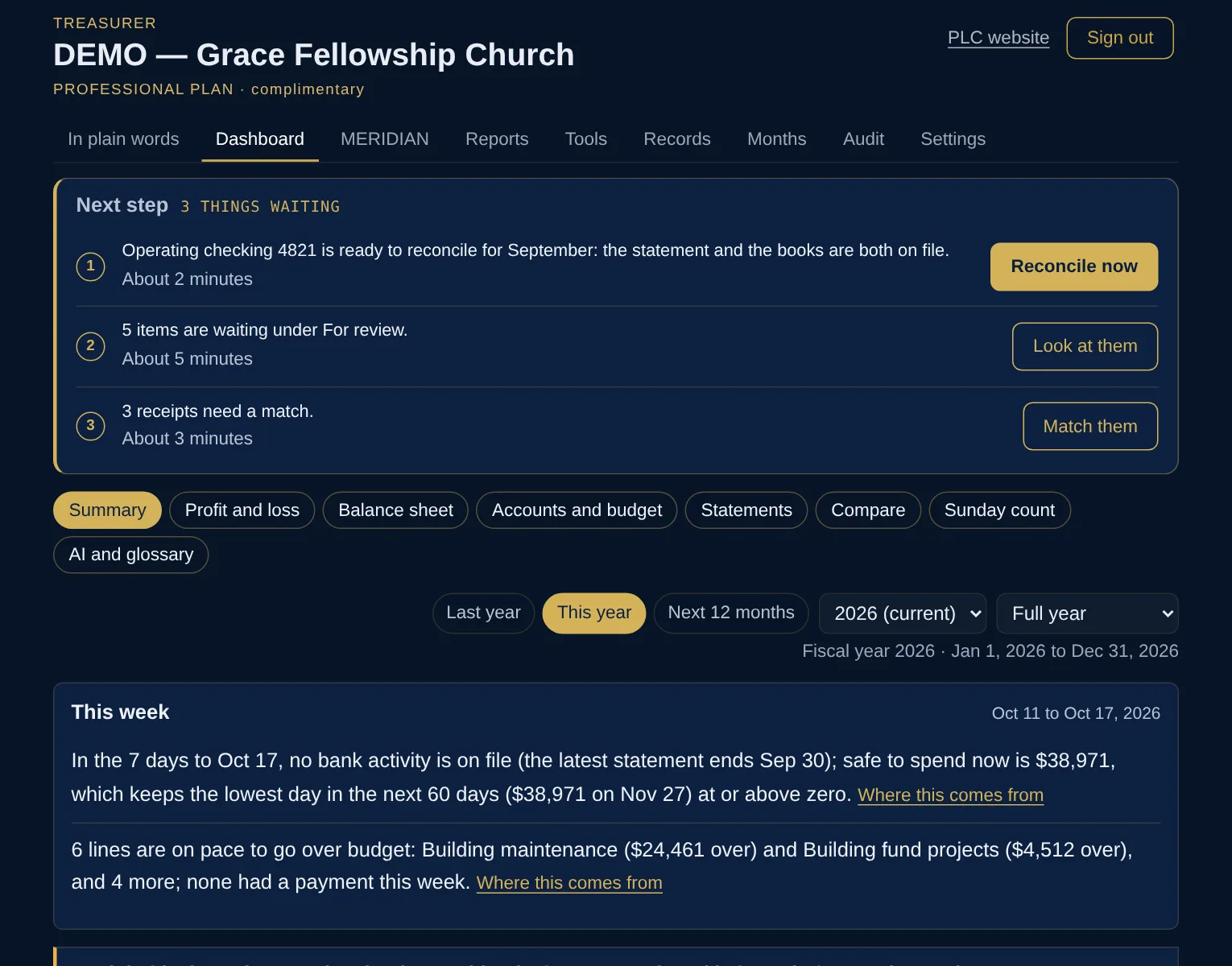
    The Dashboard for a sample organization with made-up figures: a plain-words summary of cash and budget, and tiles for cash in the bank, safe to spend, budget used, months of cash and items needing attention. The Dashboard for a sample organization with made-up figures: a plain-words summary of cash and budget, and tiles for cash in the bank, safe to spend, budget used, months of cash and items needing attention.
    DashboardCash, budget and the month at a glance. Every plan.
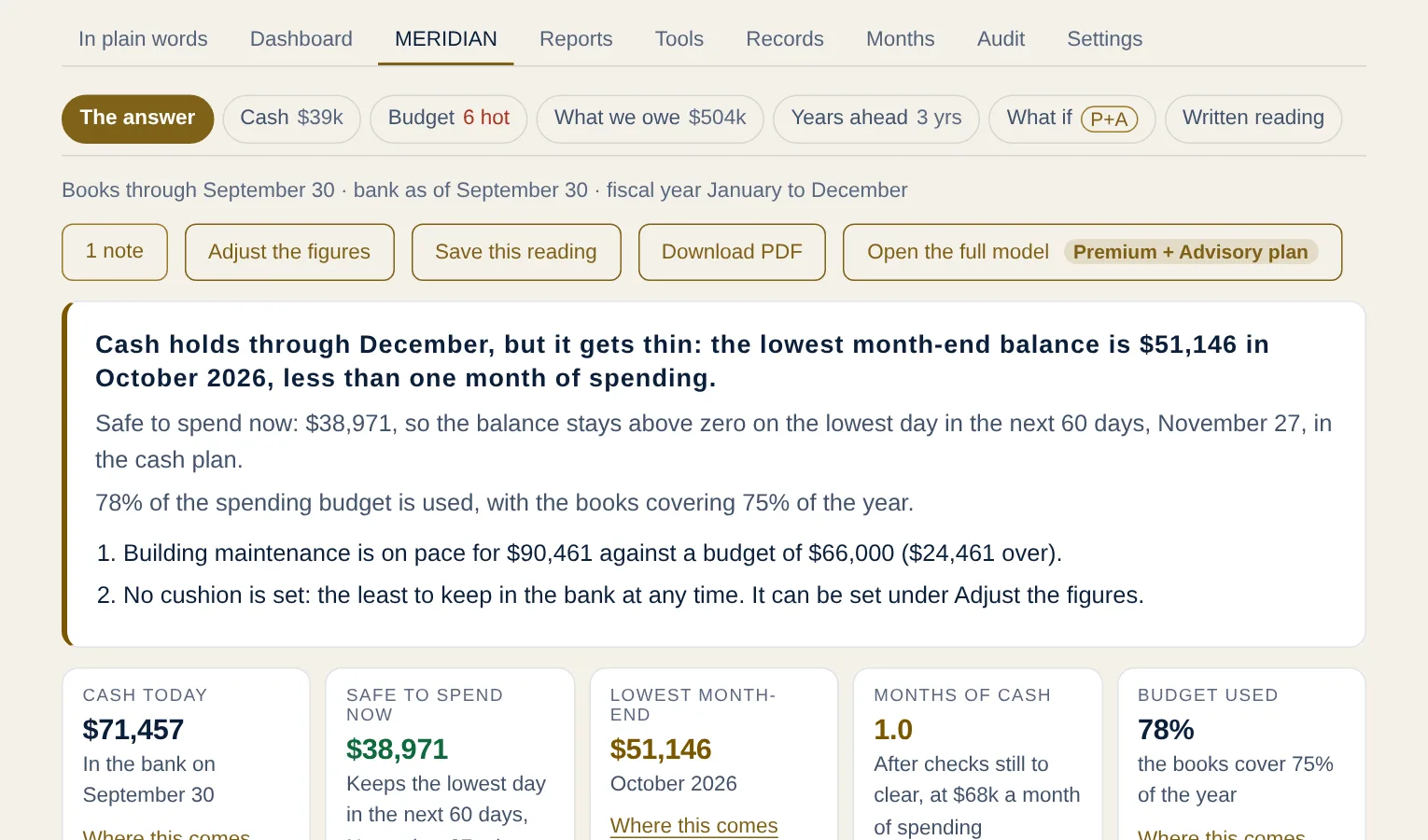
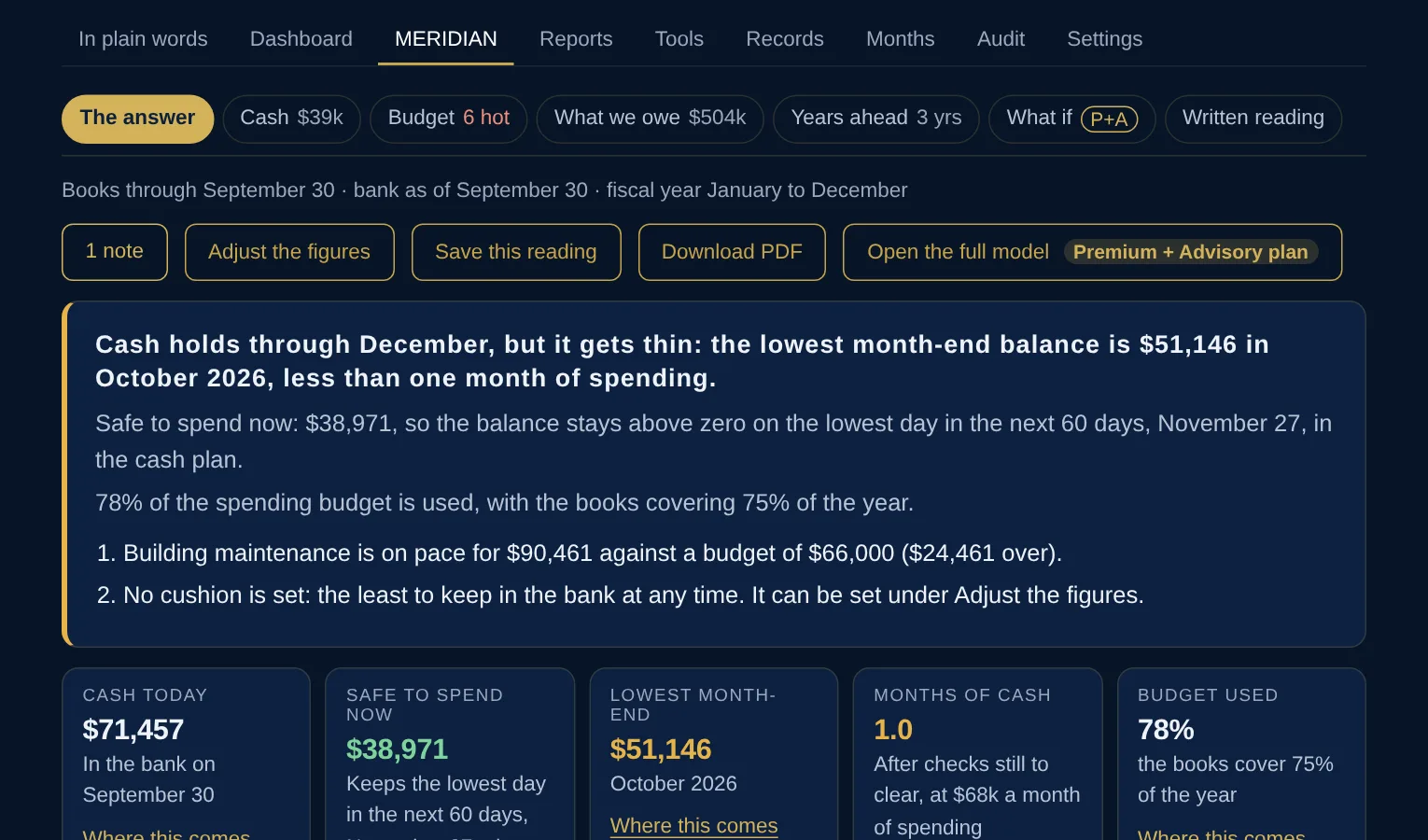
    The MERIDIAN reading for a sample organization with made-up figures: the headline on whether cash holds through December, the line running furthest over budget, and tiles for cash today, safe to spend now, lowest month-end, months of cash and budget used. The MERIDIAN reading for a sample organization with made-up figures: the headline on whether cash holds through December, the line running furthest over budget, and tiles for cash today, safe to spend now, lowest month-end, months of cash and budget used.
    MERIDIAN readingWill cash hold, safe to spend now, lines running hot.
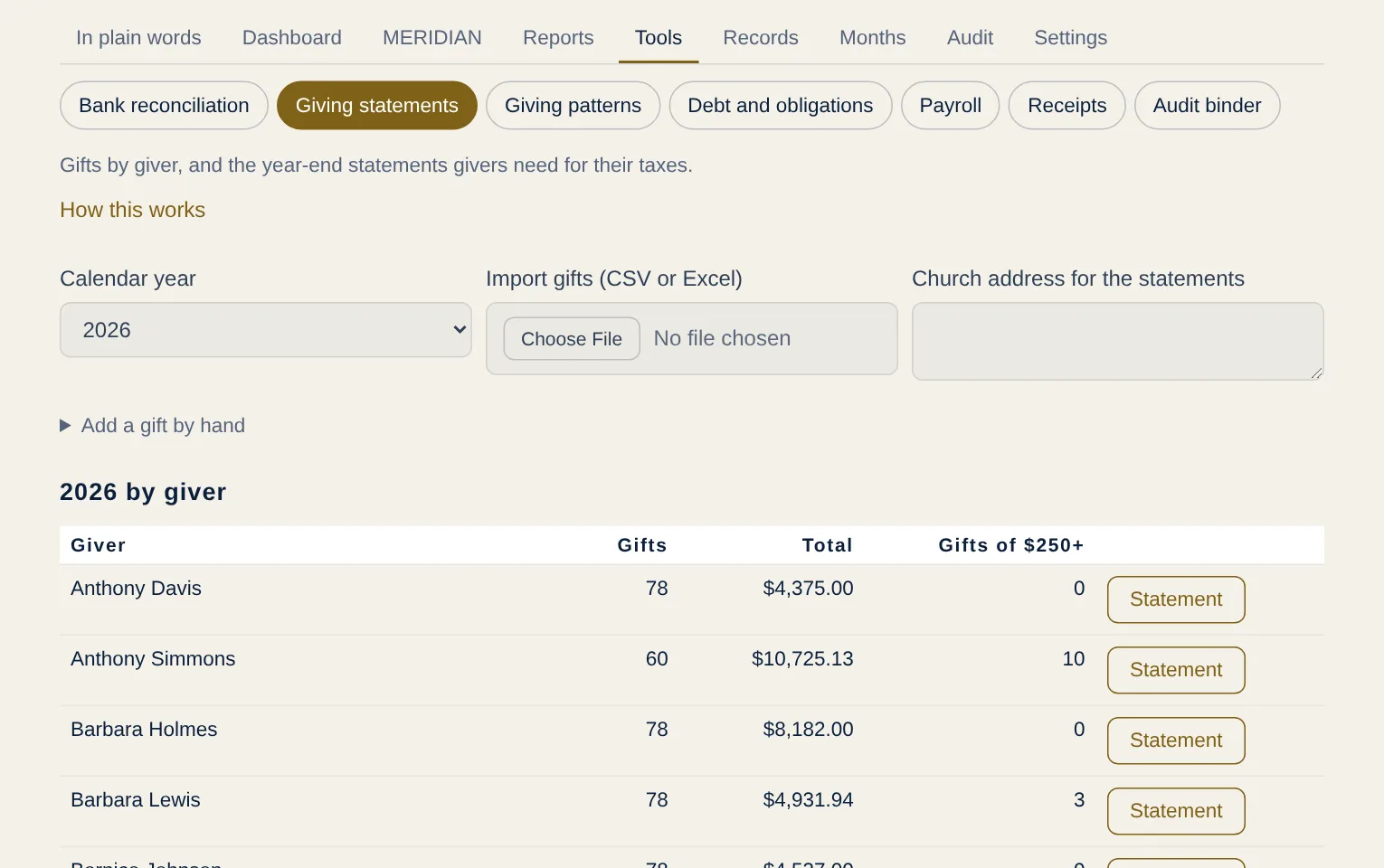
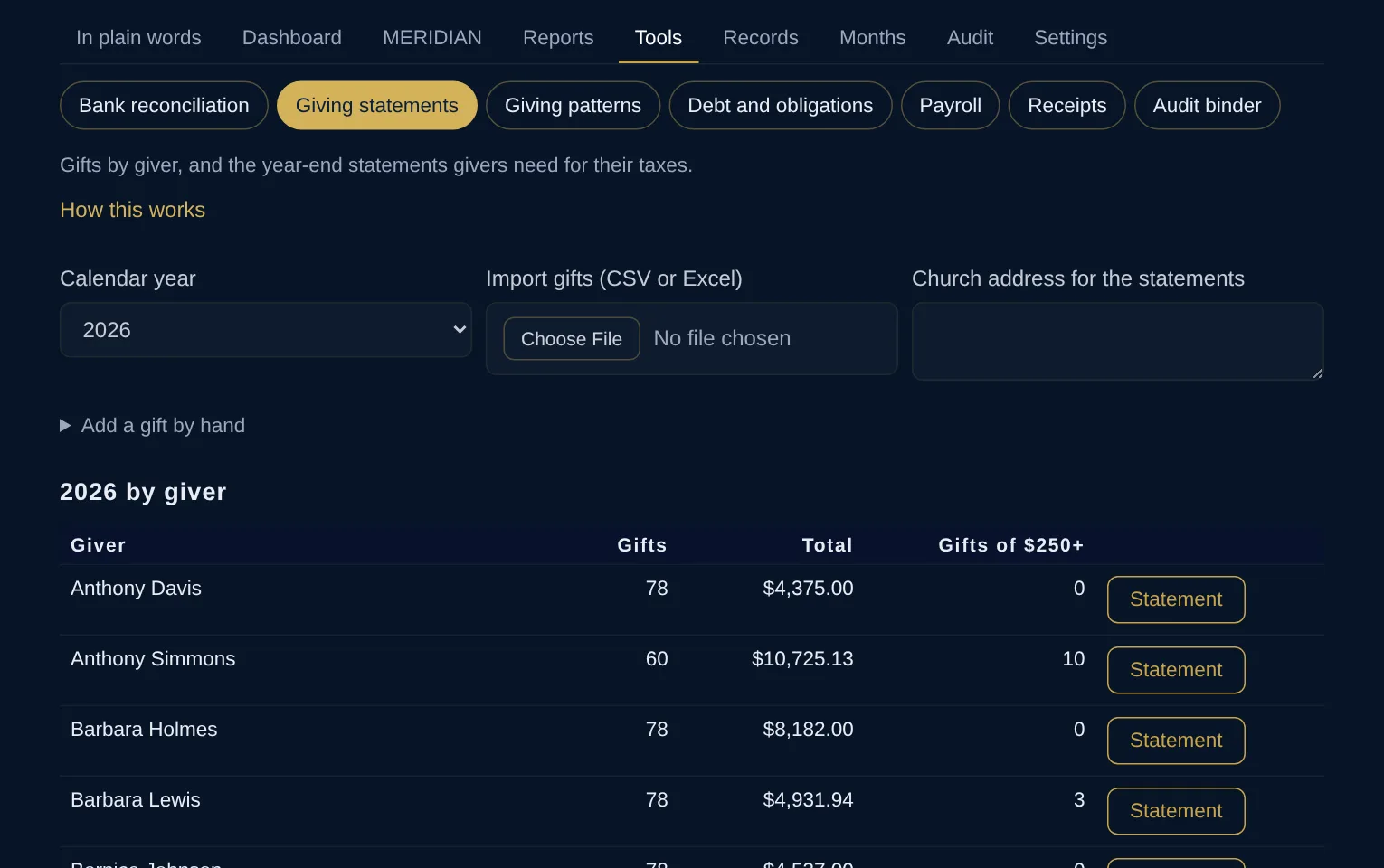
    Giving statements for a sample church with made-up givers and figures: gifts by giver for the calendar year, with each giver's number of gifts, total, gifts of 250 dollars or more, and a button to make the year-end statement. Giving statements for a sample church with made-up givers and figures: gifts by giver for the calendar year, with each giver's number of gifts, total, gifts of 250 dollars or more, and a button to make the year-end statement.
    Giving statementsFor churches: gifts by giver and the year-end statements. Professional and above, or as an add-on.
    Sample organization · made-up figures

    Setup, one time

    The workspace is built to set itself up. Choose at checkout: self-serve (included with annual billing), PLC remote by video or phone, or PLC on-site. A self-serve workspace can add PLC remote or on-site setup later under Settings, Billing for the difference. Institutional setup is part of its quote. If you were given a code, enter it at checkout; a code waives self-serve setup only.

    Add-ons for Essentials

    Professional and above include every add-on.

    One-time and as needed

    Free · seven days · no card
    See MERIDIAN on a sample organization before you choose
    Your own private copy of a made-up organization’s workspace for seven days: a narrated tour, the full class if you want it, and Elena, the AI assistant, to answer questions about every figure. No card, no call needed.
    Try the demo →
    Need a different arrangement?
    Tell us what you need
    If the plans above do not fit how your organization works, write to us. Every request is read. Not every one can be met, and we would rather tell you plainly than force a fit.
    Make a request →
    Scoped after a conversation
    Audit preparation, advanced consulting and custom work
    Internal audit support, external audit handoff, multi-year planning, board presentations and anything outside the plans above. Princeton Ledger & Consulting does not perform audits; we prepare you for them. The first conversation is free.
    Book a consultation →

    Prices are in US dollars. Monthly plans renew each month and annual plans each year; cancel anytime and the plan runs to the end of the period paid. Setup is charged once, with the first payment (self-serve setup is included with annual billing); moving to a plan with a larger setup charges only the difference. On-site travel is billed separately at cost, after you approve PLC’s estimate. Records stay available to download for 30 days after a subscription ends. Every MERIDIAN reading is descriptive analysis, not accounting, audit, legal, tax or investment advice. See the Terms, Refund Policy and Privacy Policy.

    Questions before you choose

    Is there a contract? How do we cancel?

    Plans are billed in advance, monthly or yearly, and renew each period until cancelled. Cancel anytime in the workspace under Settings, Billing: the plan runs to the end of the period already paid and you are not charged again. A period already begun is not prorated or refunded. The Terms and Refund Policy have the details.

    Who owns our data, and can we take it with us?

    Your organization does. Every record an organization keeps in MERIDIAN belongs to that organization; Princeton Ledger & Consulting stores the records only to provide the service. Every plan includes a full records export, always, and records stay available to download for 30 days after a subscription ends.

    We use QuickBooks Online. Or Desktop. Does it matter?

    No. MERIDIAN reads the General Ledger and Account List exported from QuickBooks Online or QuickBooks Desktop as Excel or CSV (not the Profit and Loss, and not a PDF). With no accounting software, each bank and card account’s transactions downloaded from online banking as CSV, OFX, QFX or QBO serve as the records. PLC never asks for online banking credentials and never connects to your bank.

    What if our books are messy or behind?

    PLC can do the hands-on work: cleanup, catch-up entry and board materials, billed by the hour and scoped in writing before work starts. The 90-day turnaround diagnoses the books and the root causes, then rebuilds the budget and the controls. Both are listed under One-time and as needed above. On Professional and above, PLC bookkeeping is available by quote.

    How does setup work?

    Choose at checkout. Self-serve is the standard: the workspace opens as soon as the first payment goes through, and a guided walkthrough on each screen and the workspace assistant (AI) take you through uploads, statements, the Dashboard, reports, tools and billing; the assistant can pass a question to PLC. Self-serve setup is included with annual billing. With PLC remote setup, John Crawford sets up the workspace with you by video or phone; with PLC on-site setup he does it at your location, with travel billed at cost after you approve the estimate. The Get started page lists what to gather and every step.

    Who can see our data?

    Your organization’s people. Each organization’s data is isolated at the database level, so it is not readable by other customers, or by PLC in the ordinary course. PLC sees a workspace only when the organization grants access by name for a set period; every access is logged where the organization can see it, and its treasurers and trustees are emailed. Finance roles sign in with a second factor; there are no passwords. See Security and the Privacy Policy.

    Does a smaller organization have to start with Essentials?

    No. Every plan runs the same engine on your own books. Budget size only suggests a starting point; an organization of any size can choose any plan and move to a higher one later.

    Can we see it before we buy?

    Yes. Try the demo: your own private copy of a made-up organization’s workspace for seven days, with a narrated tour and Elena, the AI assistant, to answer questions about every figure. No card, no call needed. Or book a consultation; the first conversation is free.